

A Scout does one job
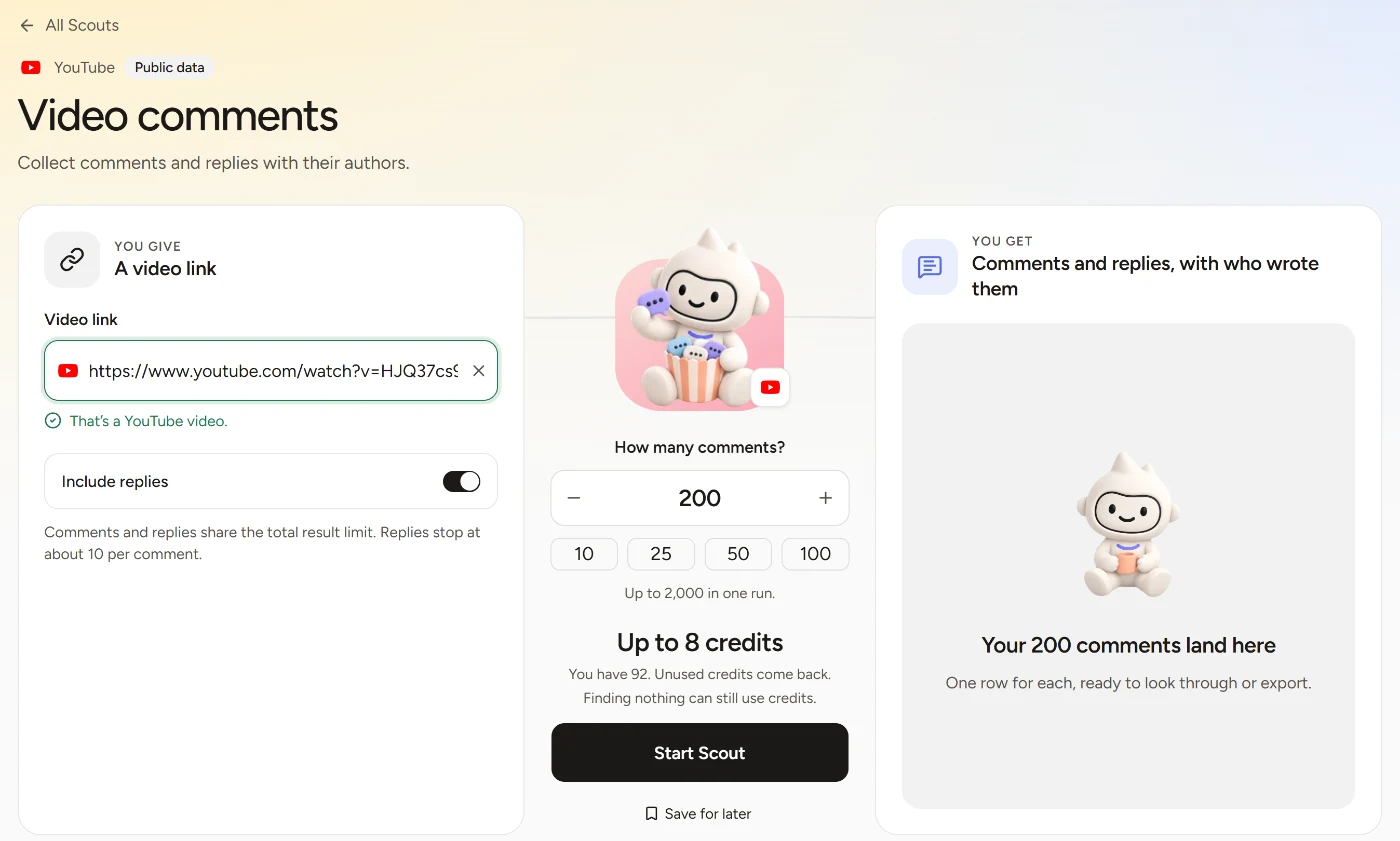
You give a Scout one thing, like a post link, a username or a keyword. It gives back one kind of row, such as comments or profiles.
Use a Scout when you want one list. Our YouTube test took one Samsung video link and saved 136 comments and replies in 90 seconds, for 5 credits.
A workflow joins steps
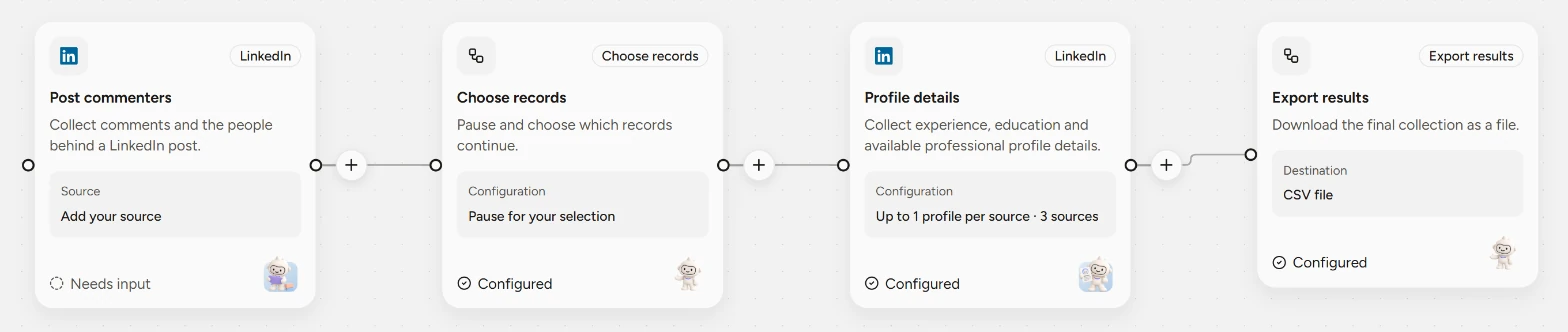
A workflow starts with a Scout and adds steps after it. Use one when the next step depends on what the first one found.
For example, collect a LinkedIn post's comments, tick the people you want, then look up only their profiles.
| Step | What it does |
|---|---|
| Filter records | Keeps records where a field contains or equals a value, or is above or below a number |
| Remove duplicates | Keeps one record per profile link, or per another field you pick |
| AI task | Labels records, pulls out fields or writes a short report |
| Choose records | Pauses the run so you tick what carries on |
| A second Scout | Runs once for each link it gets, such as each commenter's profile |
| Export results | Makes a CSV or JSON file |
Start from a template
Templates are ready-made workflows, like Comments to profiles or Find creators to explore. They open in the editor, so you can change any step first.
What each one costs
A Scout sets aside the most it can cost when it starts. When it ends, you get back any credits it didn't use.
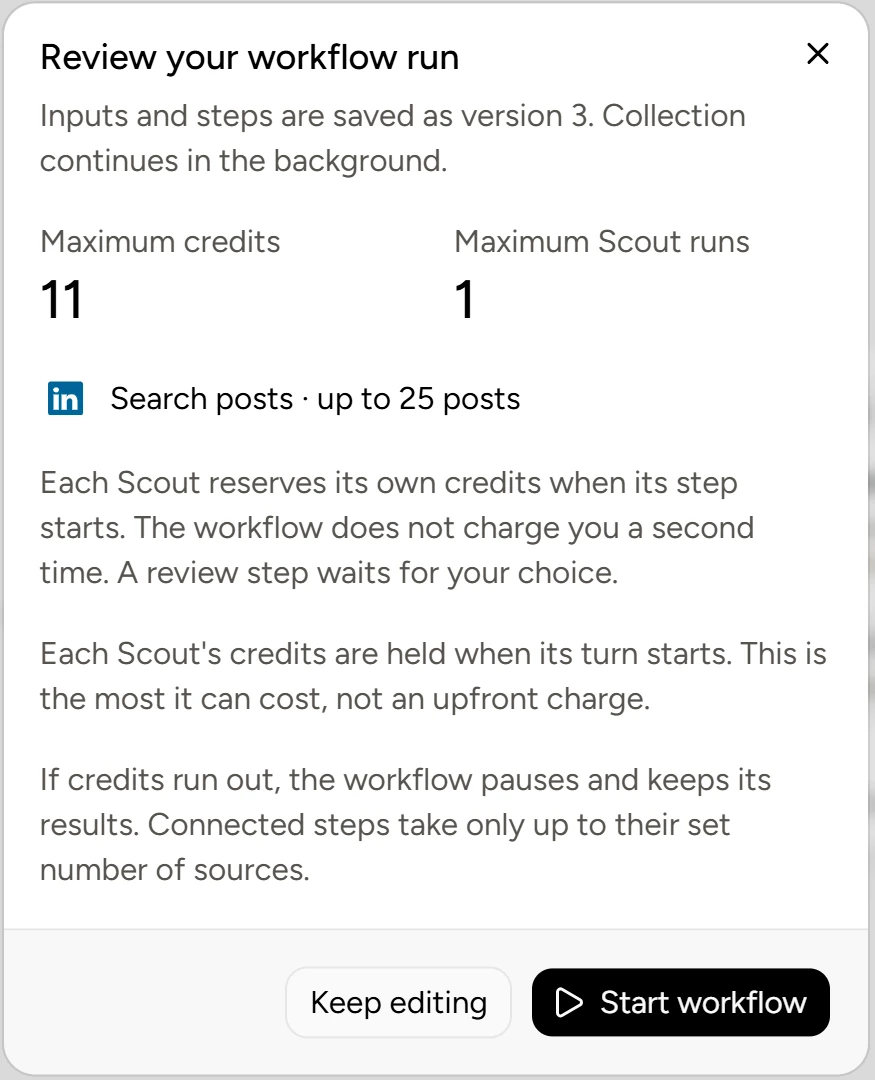
A workflow shows its maximum before you start, and you need that many credits free. Each step then sets aside its own share when its turn comes.
Our 4-step test workflow showed a maximum of 11 credits and used all 11.
Limits to know
- A workflow can have up to 16 steps and run up to 30 Scouts.
- Each step passes on up to 2,000 records.
- A second Scout looks up 3 links by default, and up to 10.
Try it yourself
Each playbook opens a ready-made template or Scout.
Browse playbooks