

What we tested
On 18 Nov 2026 we connected our own account to Claude. We asked it for prices, started a TikTok Scout and a saved workflow, then had it read the results.
The TikTok Profile videos Scout saved 3 videos for 1 credit. Our YouTube search workflow with an AI step finished in about a minute and used 2 credits.
Add the MCP server to Claude
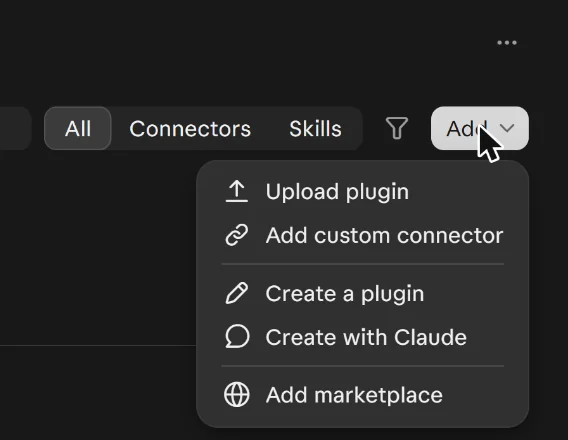
In Claude, open Plugins in the left menu. Press Add and choose Add custom connector.
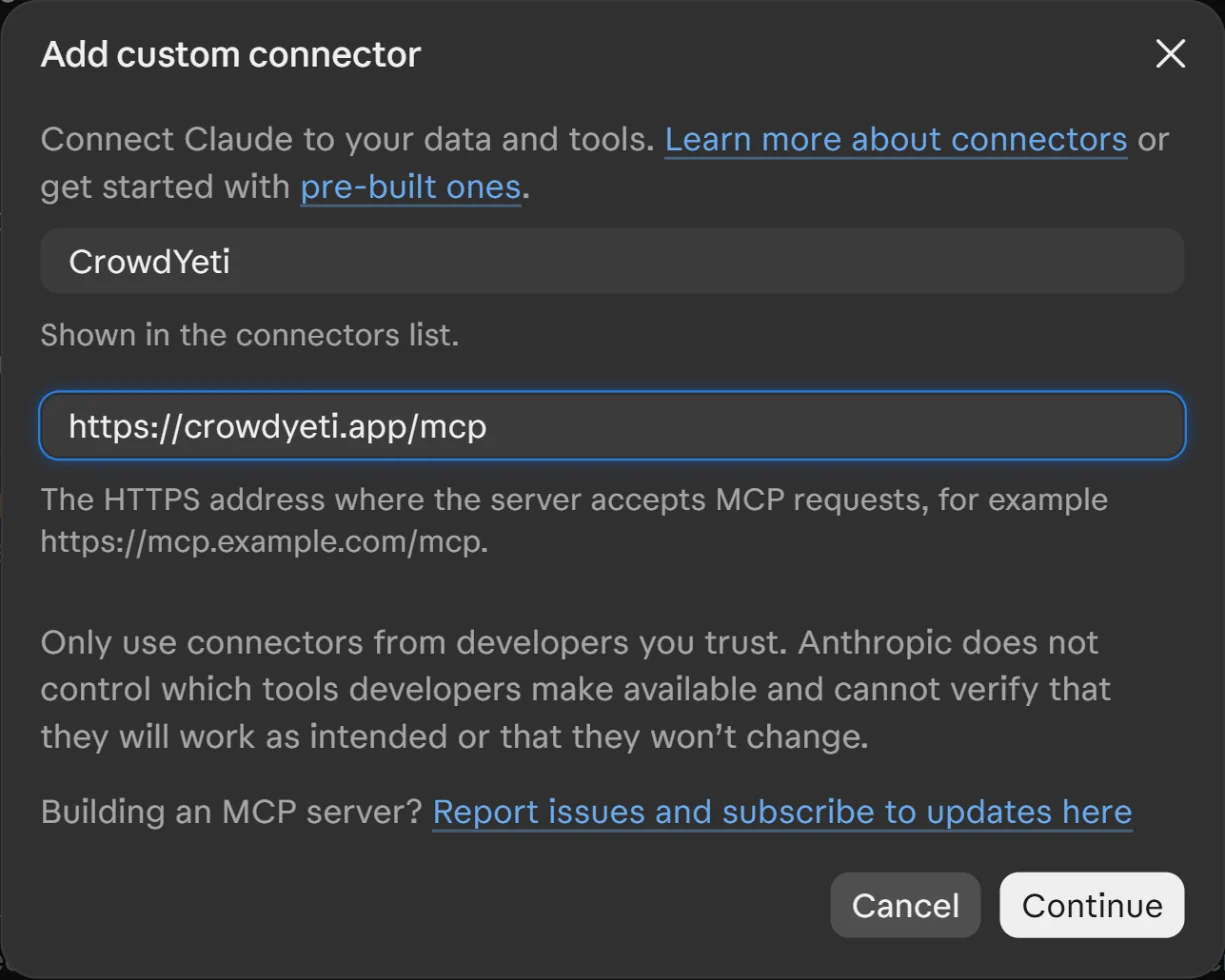
Type CrowdYeti as the name and paste https://crowdyeti.app/mcp in the server address box. Press Continue, and Claude sends you to CrowdYeti to sign in.
Sign in and press Allow
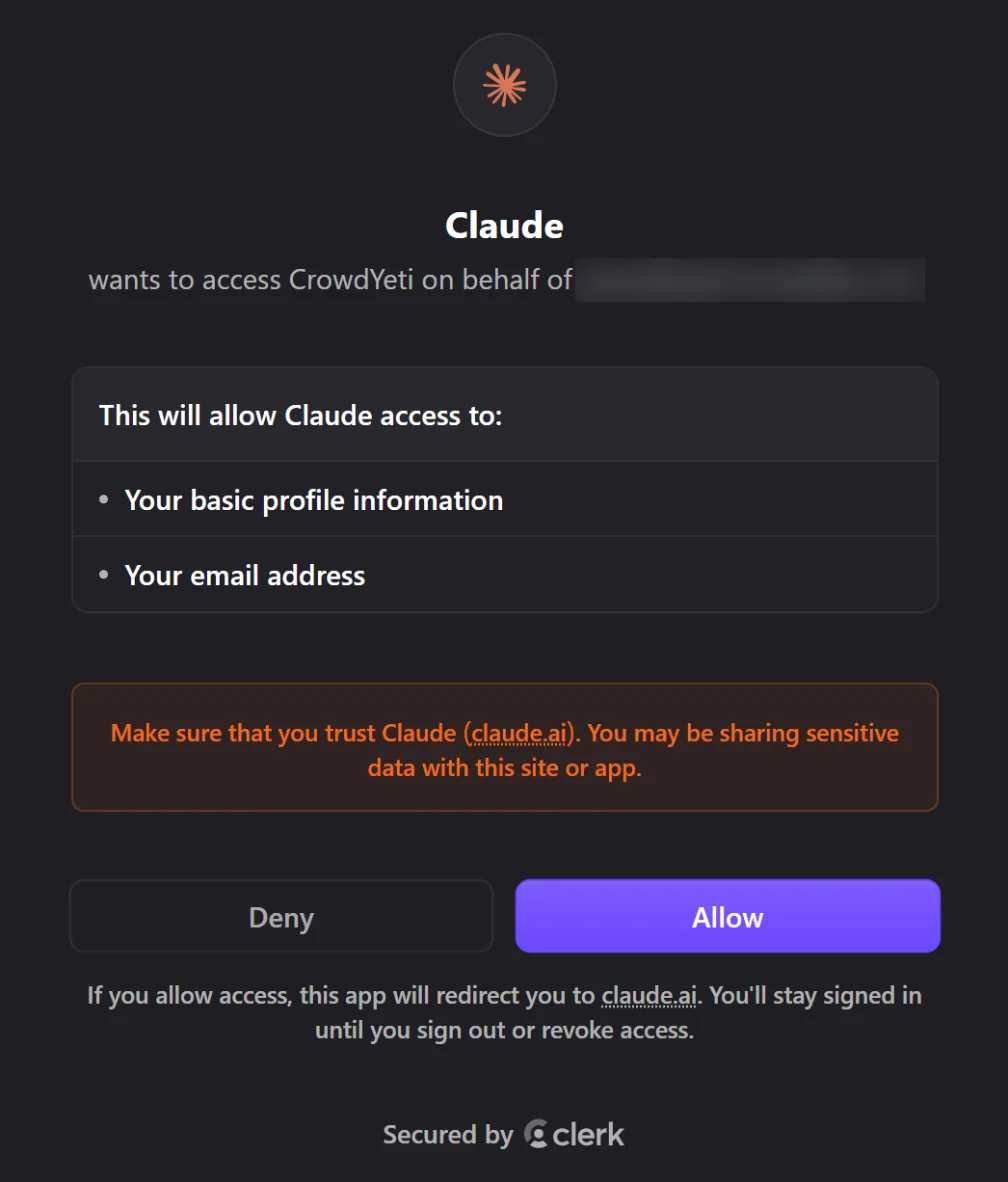
Sign in with the account you use for CrowdYeti. The next page asks if Claude may use CrowdYeti for you, and Allow takes you back to Claude.
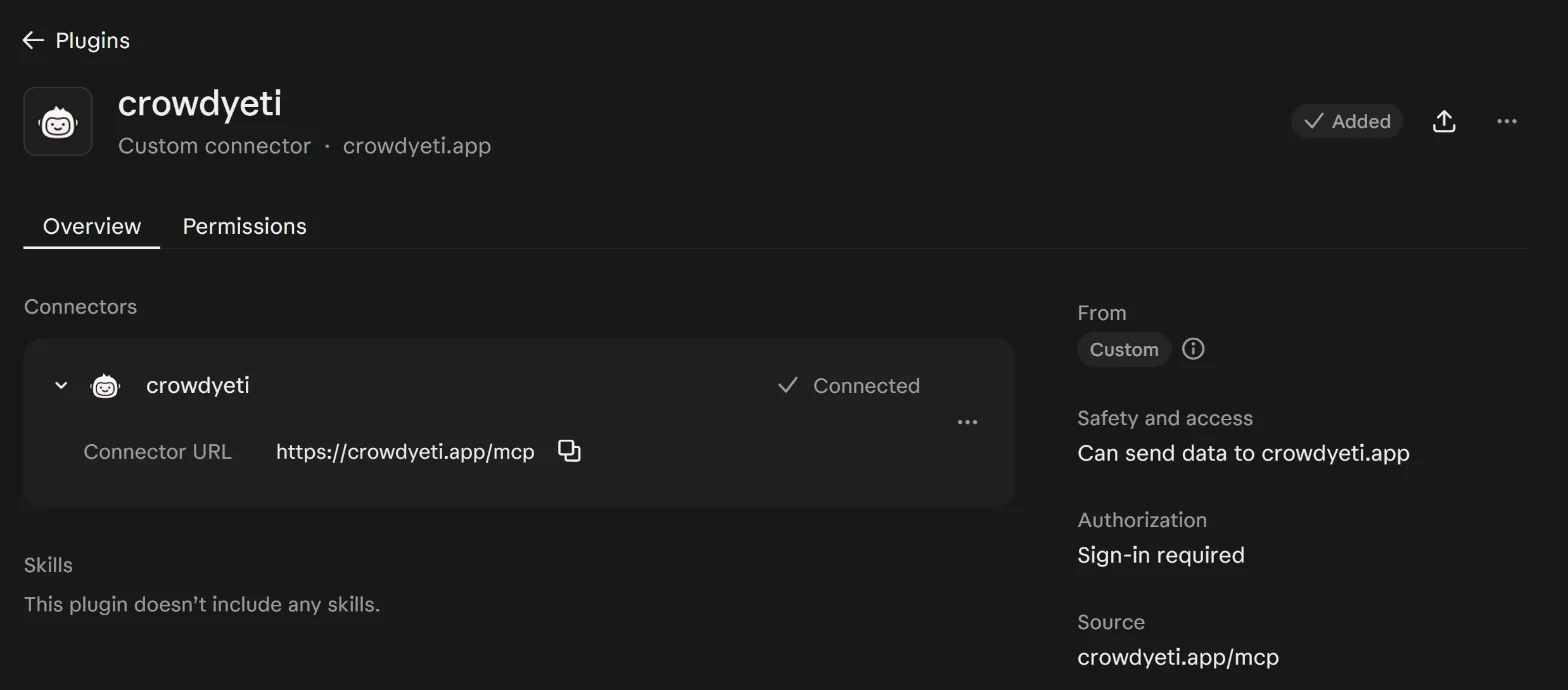
Claude then shows the connector as Connected, with the address you added.
Choose when Claude asks you first
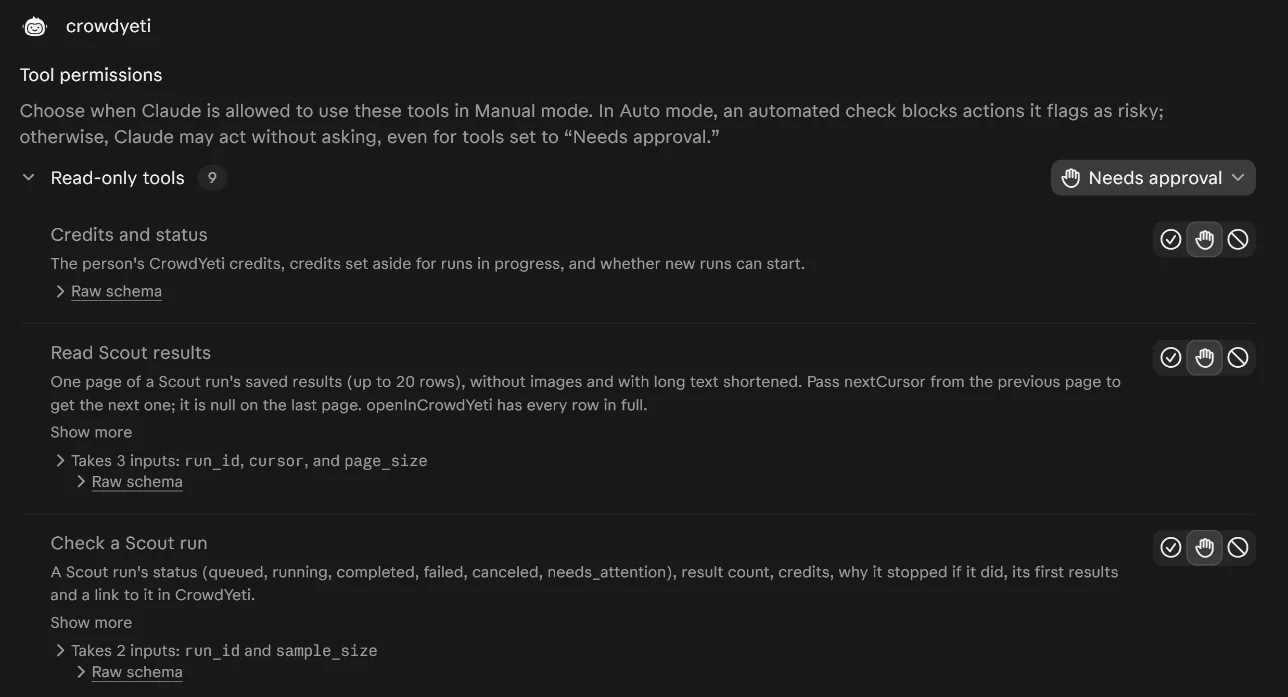
The connector's Permissions tab lists the 12 tools our MCP server gives Claude. Nine only read, such as Credits and status.
Three change something. They are Start a Scout run, Start a workflow run and Stop a Scout run.
Ours were all set to Needs approval. In Manual mode Claude asks before using those tools, and Claude's note says Auto mode can skip the question.
Ask for a price
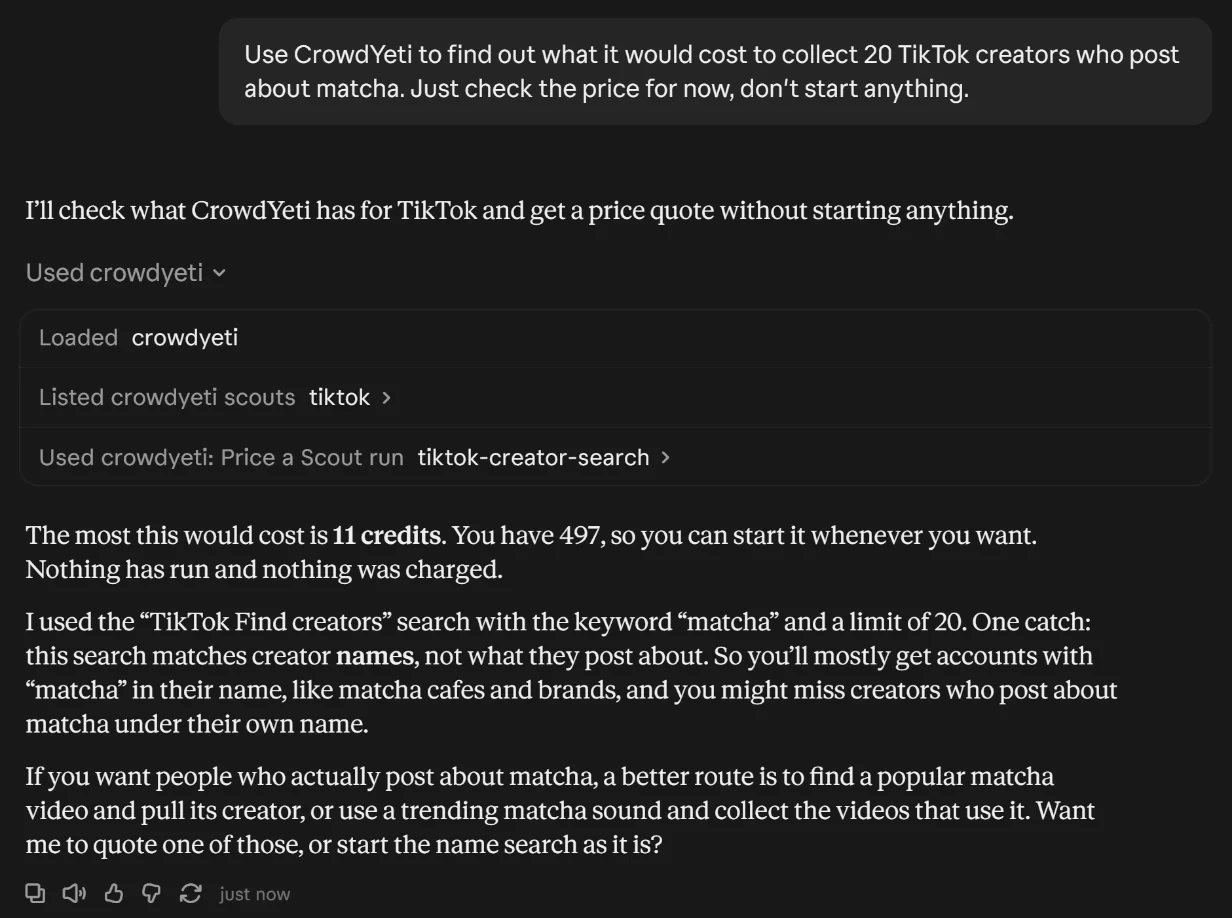
We asked what 20 TikTok creators who post about matcha would cost. Claude picked the TikTok Find creators Scout and said the most it could cost was 11 credits.
Nothing started. Claude also pointed out that this Scout searches creator names, and offered other Scouts that find people by what they post.
Start a Scout or a saved workflow
Say yes to the price and Claude starts the run. CrowdYeti only starts it with the code from a fresh price check, and refuses it if the price changed.
A saved workflow runs with the inputs saved in it. To change them, edit the workflow in CrowdYeti first.
Read your results
Claude can list your recent runs and read their results, 20 at a time. It leaves out pictures and shortens long text.
Each answer links to the run in CrowdYeti, where you can see every result in full.
We asked for our latest YouTube run. Claude listed the 10 videos it found, with views and subscribers.

What the MCP server can't do yet
- Build or edit a workflow.
- Change the inputs saved in a workflow.
- Download a file of results. Use Export in CrowdYeti.
- Read what a workflow's AI step decided. Open the run in CrowdYeti for that.
- Stop a workflow run.
Questions people ask
What is CrowdYeti's MCP server URL?
It's https://crowdyeti.app/mcp. It's a remote MCP server, so there's nothing to install and no API key. You sign in to CrowdYeti and press Allow.
Does using CrowdYeti in Claude cost extra?
No. It comes with every paid plan. Runs use the same credits as in the app, and price checks or reading results use none.
Can Claude start a run without asking me?
Claude has to check the price first, and CrowdYeti tells it to show you the credits and wait for a yes.
In our chat Claude gave the price and asked before going further.
In Claude's Auto mode, Claude may act without asking. Keep Start a Scout run on Needs approval if you want to confirm each one.
Does it work on the free trial?
It unlocks after your first payment, like downloads. Until then Claude gets a message saying so.
Which Claude plans can add it?
Anthropic's help centre says custom connectors work on Free, Pro, Max, Team and Enterprise plans. The Free plan allows one.
On Team and Enterprise plans an owner adds the connector for everyone, then each person presses Connect.
Does it work in Claude Desktop and Claude Code?
Yes. A connector you add on claude.ai also showed up in our Claude Desktop app and in Claude Code, signed in with the same Claude account.
Does it work with ChatGPT?
We have only tested Claude so far. This page will cover ChatGPT once we have tested it ourselves.
What can Claude see in my account?
Your credits, your runs and their results, and your saved workflows. It can't see payments or change your plan or settings.
Next step
Every connector screen is also in CrowdYeti under Integrations, with the address ready to copy.
Open Integrations