


What we tried to find
We wanted LinkedIn posts from people asking others to recommend someone to hire. We searched "can anyone recommend" for the past week and got 25 posts.
We added an AI task to label each post. It used DeepSeek V4 Flash and cost 5 credits for all 25.

First try: four labels
Our labels were Asking for a recommendation, Giving a recommendation, Hiring and Other. The AI put 5 posts under Asking.
| Post | Confidence | What it really was |
|---|---|---|
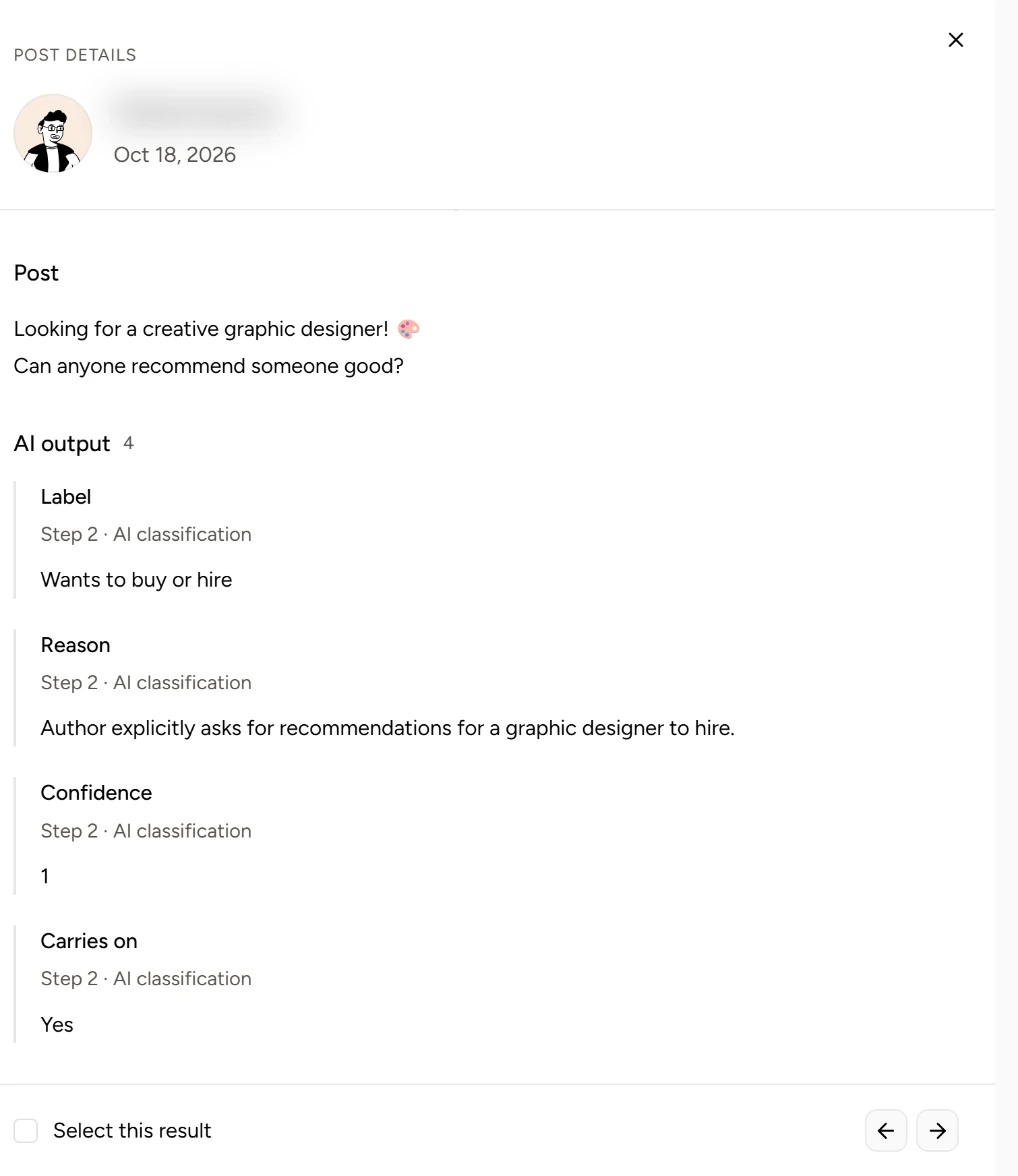
| Looking for a graphic designer | 1 | A real request |
| Looking for a freelance writer | 1 | A real request |
| Recommends a book, then asks for the next one | 0.95 | Not a buyer |
| Asks for books for a reading list | 0.98 | Not a buyer |
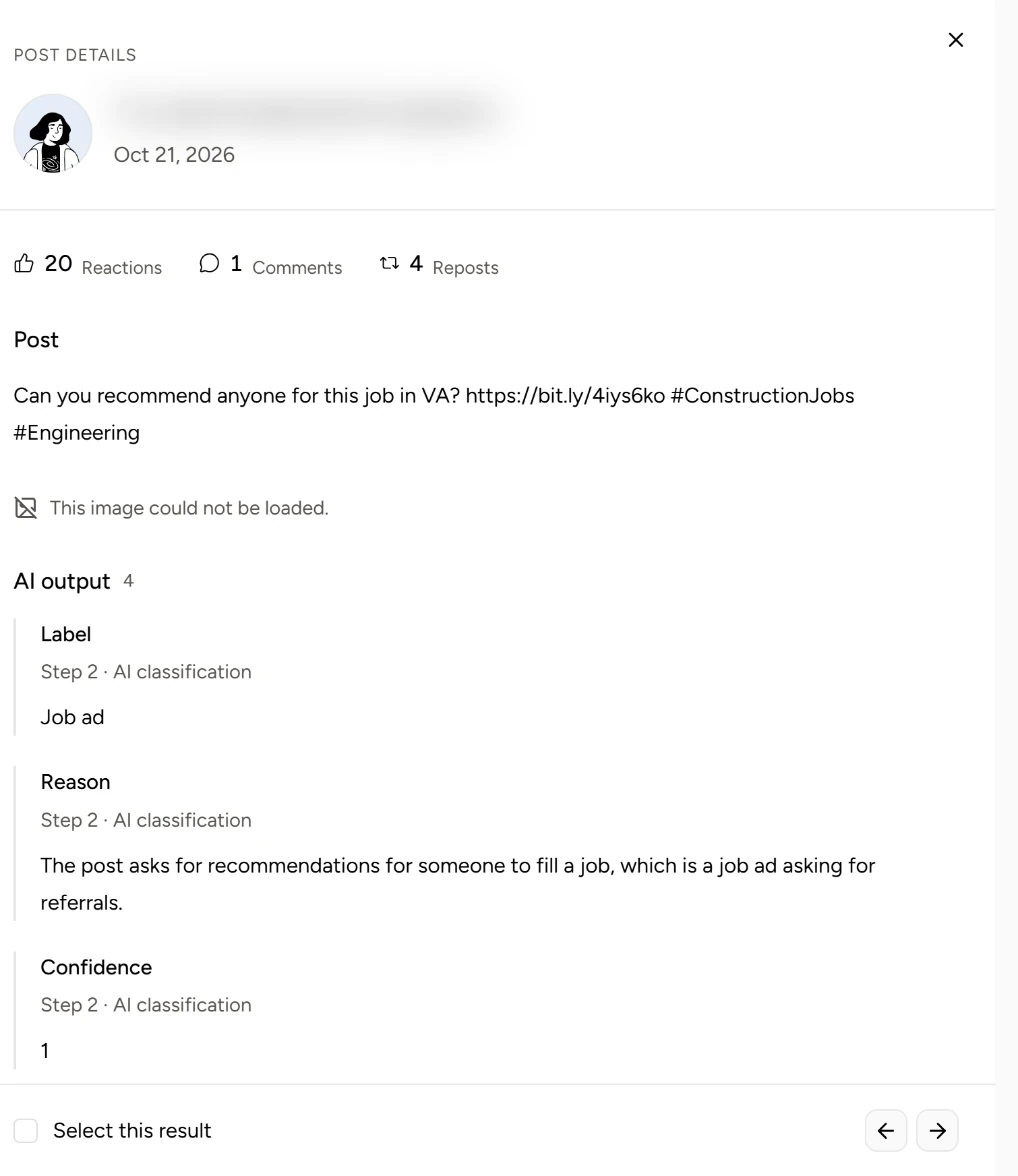
| A construction firm asking people to recommend someone for a job | 1 | A job ad |
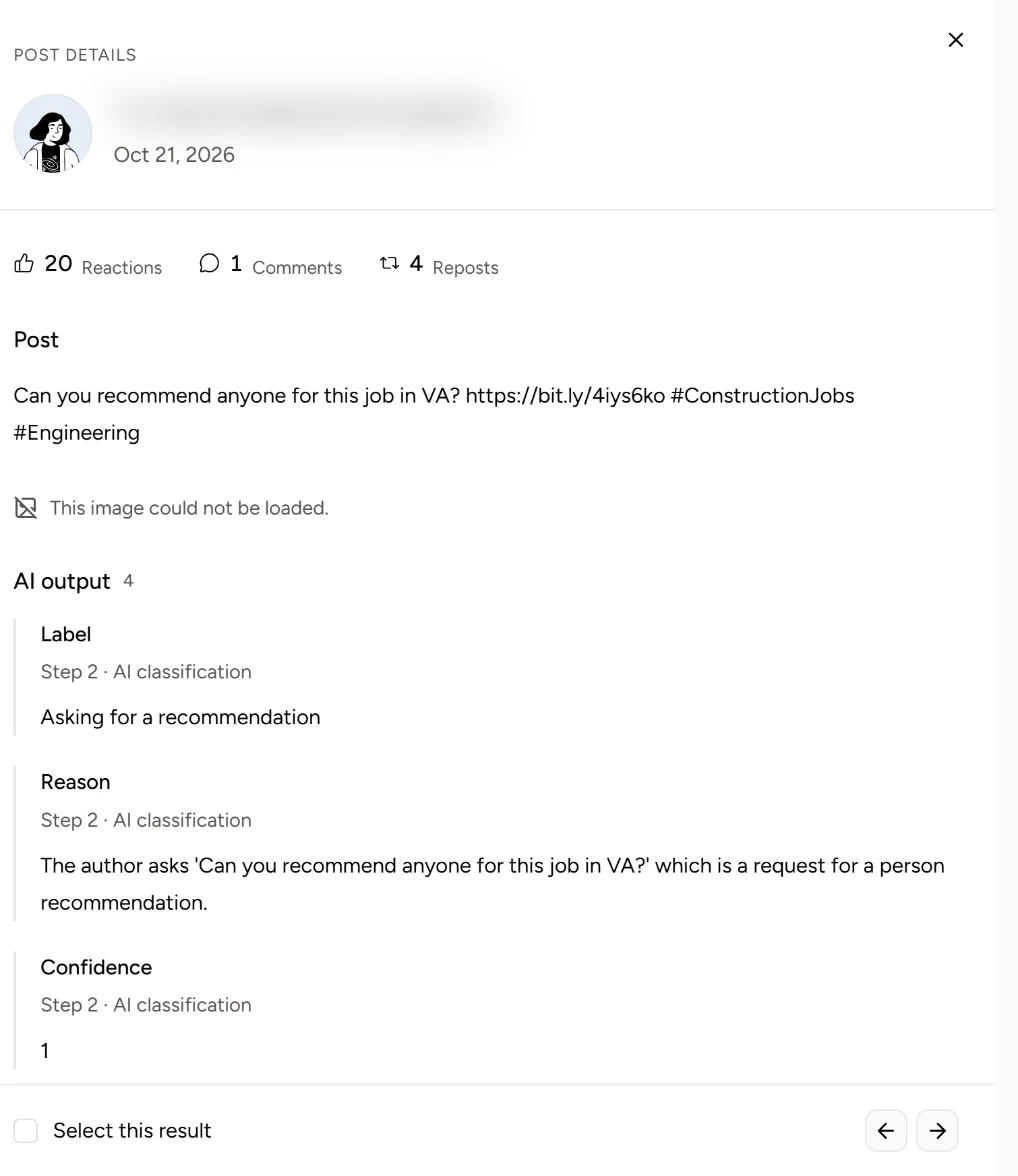
The confidence scores didn't help
All 5 had a confidence of 0.95 or higher. The score only tells you the model is sure of itself, and 3 of these sure picks were wrong.
Then we reread our own task. We had asked for anyone wanting "a product, service or person", and a book is a product, so the AI followed our wording.
Second try: clearer labels and two rules
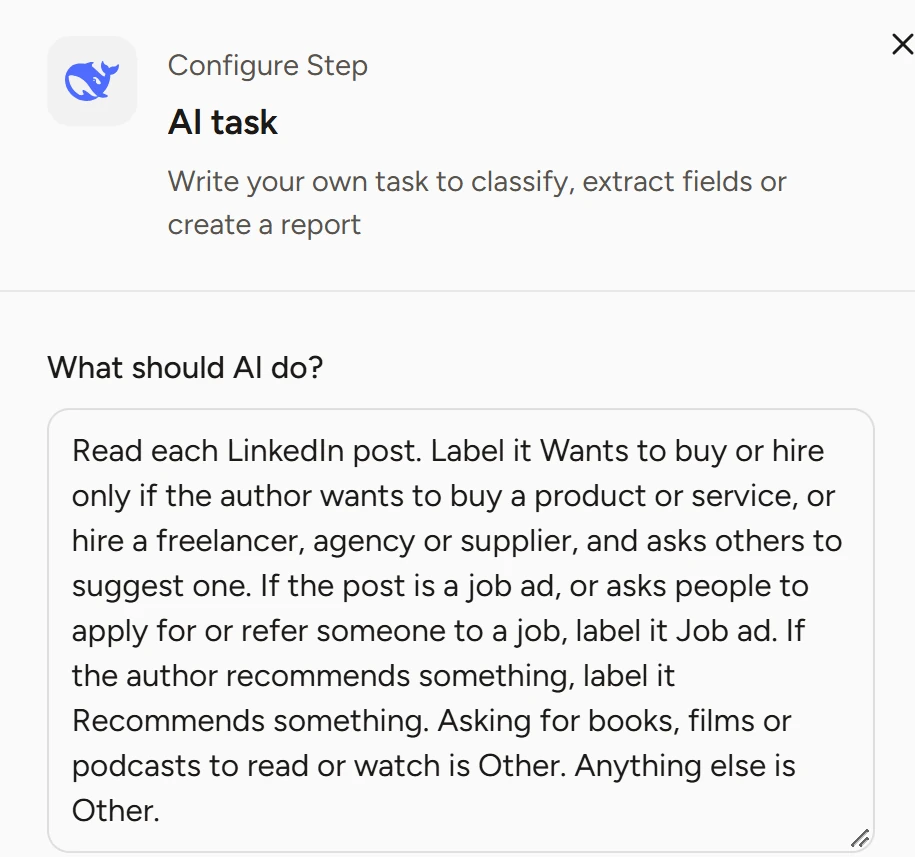
We renamed the labels to Wants to buy or hire, Job ad, Recommends something and Other, and wrote out what each one means:
- Wants to buy or hire: the author wants to buy something or hire a freelancer, agency or supplier, and asks others to suggest one.
- Job ad: a job opening, or a request to apply for or refer someone to a job.
- Asking for books, films or podcasts is Other.
| First labels | Second labels | |
|---|---|---|
| Labelled as a request | 5 | 2 |
| Real requests among them | 2 | 2 |
| Credits for search and AI | 11 | 11 |
How to check labels in CrowdYeti
- Put a Choose records step after the AI task. The run pauses there, so nothing is exported until you've looked.
- Open a record to see its AI output: the label, a one-line reason, the confidence and whether it carries on to the next step.
- Read every record in the label you'll act on. If there are hundreds, read 20 and count how many you'd change.
- Minimum confidence starts at 0, so every record carries on. Raise it only after you've checked a sample of labels.
- Test on a sample runs new wording on 5 records from an earlier run, so you can check it before paying for all of them.
What it costs
With DeepSeek V4.1 Flash, the AI task sets aside 1 credit for every 5 records. GPT-4.1 mini sets aside 3. You get back any credits it doesn't use.
Try it yourself
The LinkedIn recommendations playbook sets up this workflow step by step.
Open the playbook