

Where you see it
In the Data list, a run that ended early shows Stopped or Needs you. Open it, and the box at the top says what happened.
The line under the message says what the run cost. How credits work lists what you pay in each case.

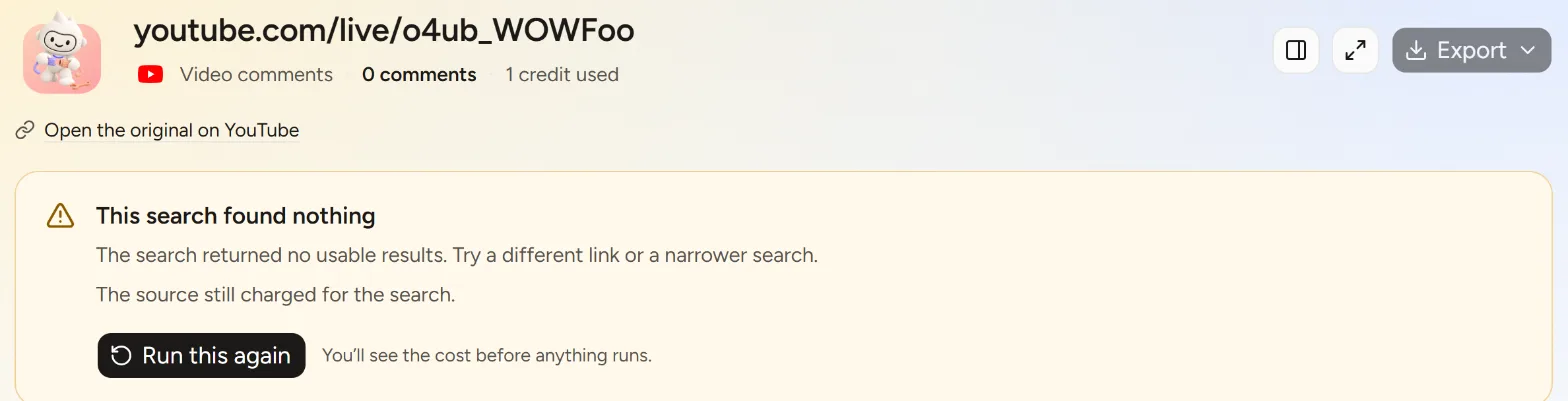
This search found nothing
The source ran the search and found nothing you can use. Some sources still charge for the search, and the run says so.
Check that the link opens, or try a narrower search. Our run on a YouTube live stream with no comments found 0 and used 1 credit.
This run stopped before it finished
The message under the title gives the reason. Anything the run saved stays in Data.
| The message starts with | What to do |
|---|---|
| This source couldn't be collected | Check that the link opens while you're signed out. A private or removed page can't be collected. |
| Collecting stopped before it finished | Use Run this again. What the first run saved stays where it is. |
| Collecting is paused for a short time | Run it again later. You weren't charged. |
| Collecting was too busy to start this run | Run it again in a few minutes. You weren't charged. |
| Collecting couldn't start for this run | Try again later. Your input is saved. |
| This Scout hit a problem on our side | Try again later. Changing your input won't help. |
| Some of what came back was in a form we couldn't read | Use what it saved, or run it again. |
This run needs you
CrowdYeti couldn't confirm part of the run, such as whether collecting started or whether saving finished. Its credits stay set aside until you pick it up or stop it.
Pick up where it stopped checks the run and finishes it. It won't start a second paid run.
Messages on a workflow run
When one step's Scout stops early, the run shows which step it was. Retry this source runs that Scout again after showing its cost.
Continue with partial results keeps what that Scout saved and moves on to the next step.
This run needs a check means CrowdYeti couldn't confirm a step. Check and continue picks the run up from its last saved step.
| The message starts with | What to do |
|---|---|
| There aren't enough credits for the next step | Add credits, then continue the run. Everything so far is saved. |
| Your credit balance is below zero | Add credits, then continue the run. |
| Your plan payment did not complete | Update your card in Settings → Plan. The run stays paused until then. |
| A Scout in this workflow has changed | Start the workflow again to see its current cost. |
| This step found over 2,000 results | Start again with a lower limit or without replies. Everything it found is in its Scout run. |
| Three Scouts need a check | Open one of them and pick up where it stopped, then continue the run. |
| The AI step stopped early | Start the workflow again. You paid only for what the AI step used. |
Choose what carries on
This box means the workflow reached its Choose records step and is waiting for you.
Tick the records to keep. The button then shows how many, such as Continue with 5 records.
Questions people ask
Will I pay twice if I pick up a run?
No. Pick up where it stopped finishes the same run. Only Run this again starts a new run, and it shows the cost first.
What does Stopped mean in the Data list?
The run ended before it finished, or someone stopped it. Open it to read why.
Who can I ask about a run?
Email help@crowdyeti.app with the link to the run.
Next step
How credits work explains what each kind of run costs.
Read How credits work