

Paste a video link to see its first 100 comments. Download them as a CSV that opens in Excel.
What you get
YouTube Studio only shows comments on your own videos, and Google Takeout only has comments you wrote. Neither gives you a file of someone else's comments.
The Video comments Scout works on any public video or Short.
You get one row per comment or reply, with the text, the author's name and channel link, the likes, the reply count and when it was posted.
We ran the CrowdYeti tests on this page on 25 Oct, 29 Oct and 11 Nov 2026.
Step by step
- Copy the video link: On a computer, use the Share button or the address bar. Normal video links, youtu.be links, Shorts and finished live streams all work.
- Open the Video comments Scout: Paste the link and set how many you want, up to 2,000 in one run.
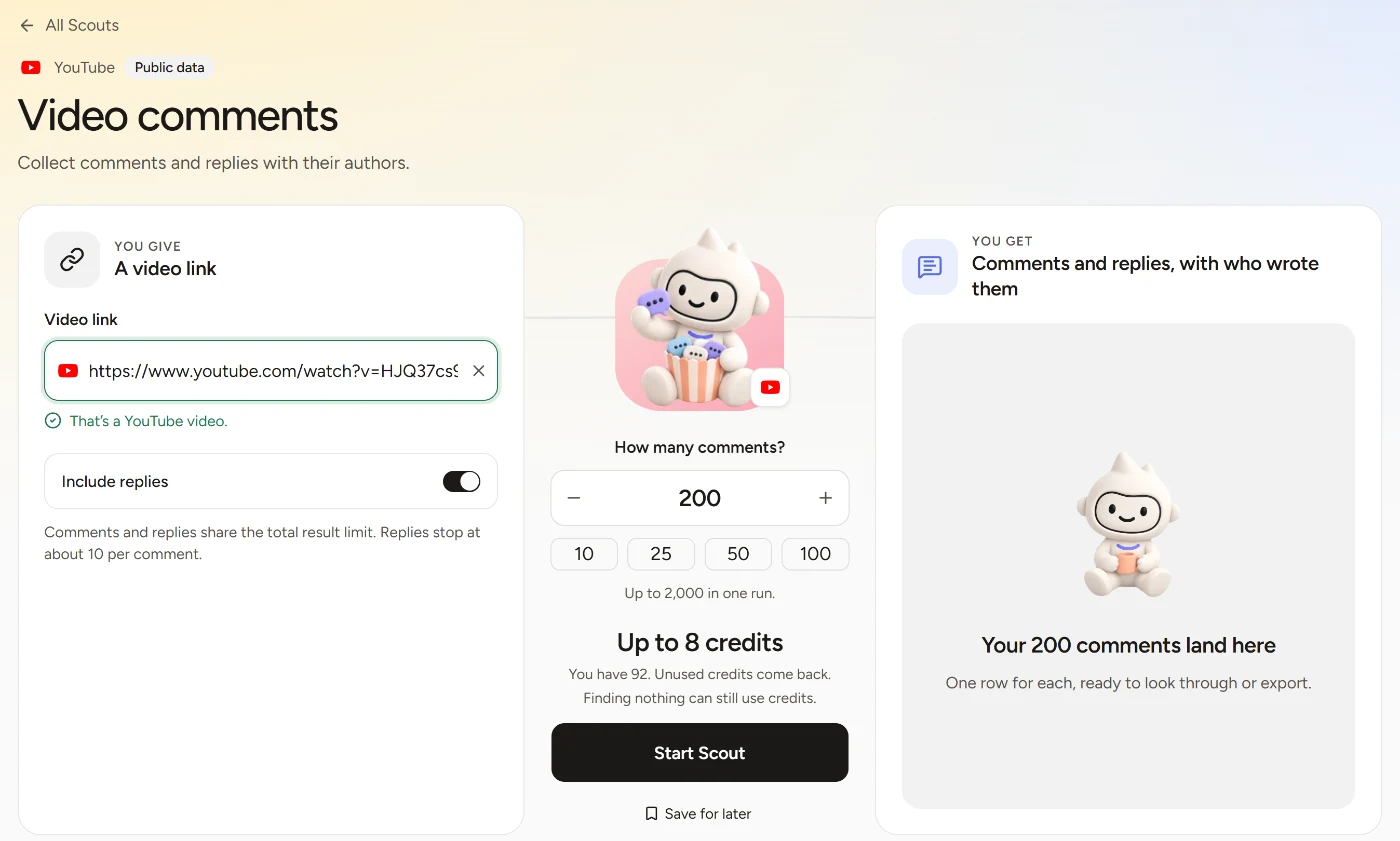
Our test before we started it, with 200 comments and replies on. The form said up to 8 credits, and the run used 5. Tap the picture to open it full size. - Choose replies: Include replies is on, and replies count toward your number. Replies stop at about 10 per comment.
- Start the Scout: The button shows the most the run can cost. When it ends, you get back any credits it didn't use.
- Download the file: Choose Export and pick As CSV or As JSON. Downloads unlock after your first payment. During a trial you can read every row in the app.
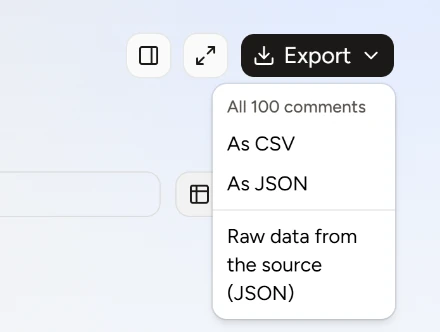
The Export menu on our Shorts run. Raw data is the file exactly as the source sent it. Tap the picture to open it full size.
What a real run returned
| Video | Asked for | Got | Credits used | Time |
|---|---|---|---|---|
| A Samsung video showing 148 comments | 200 | 136 comments and replies | 5 | 1 min 30 s |
| A MrBeast Short | 100 | 100 comments and replies | 4 | 1 min 27 s |
| A tutorial showing 34 comments, replies on | 100 | 29: 20 comments and 9 replies | 1 | 2 min 43 s |
| The same tutorial, replies off | 100 | 20 comments | 1 | 56 s |
| The same tutorial, from a youtu.be link | 25 | 25 comments and replies | 1 | 3 min 20 s |
| A video with comments turned off | 500 | 0 | 1 | 51 s |
Good to know
- Replies share your number. Ask for 500 and you get up to 500 rows, comments and replies together.
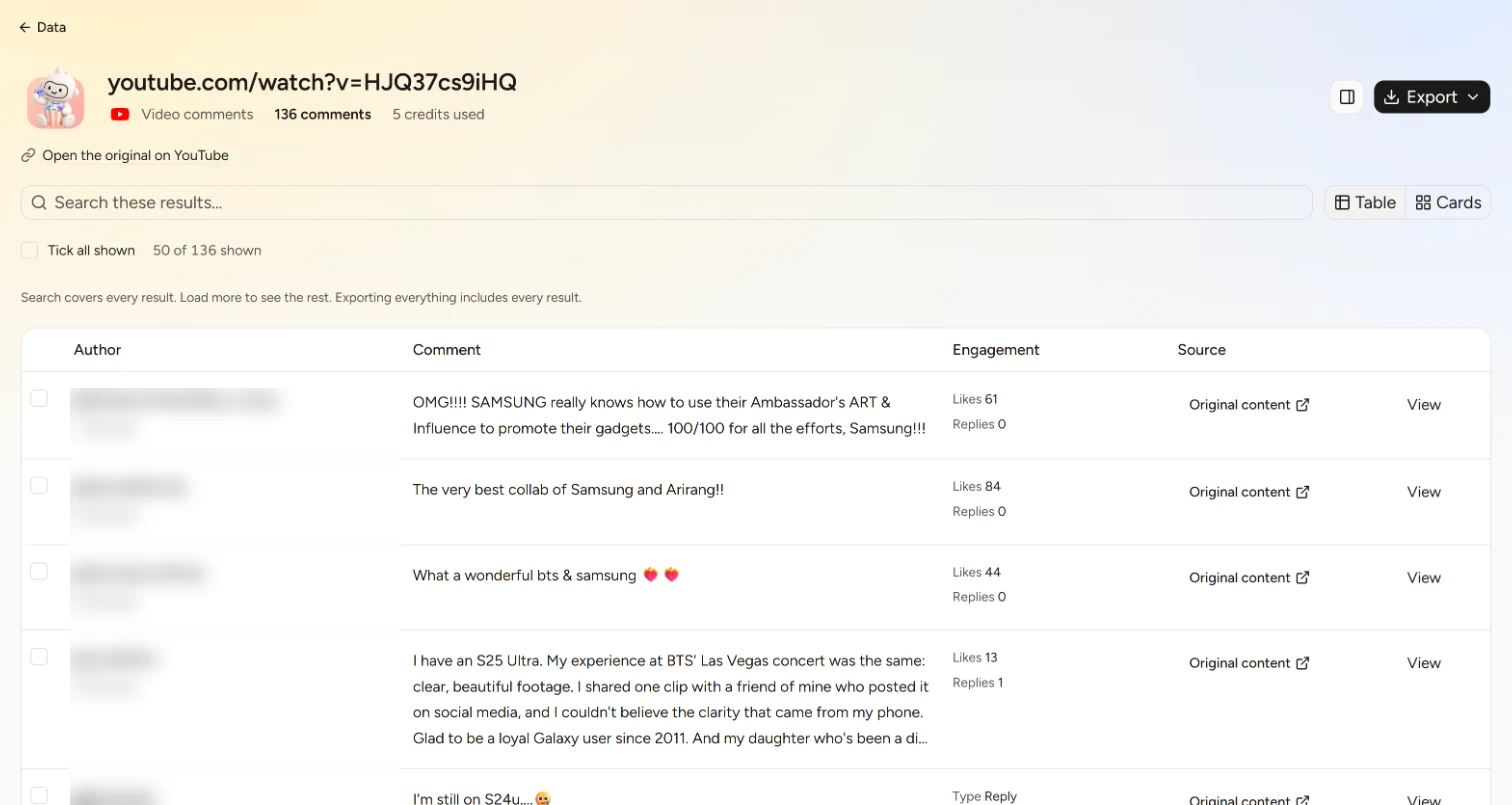
- Long threads are cut short. In our 2,000-row run, no comment had more than 10 replies saved, and threads with over 600 replies gave 3 or 4.
- Dates are saved the way YouTube shows them, such as "6 years ago".
- A video with comments turned off gives you 0 comments, and the run can still use a credit.
- The Scout saves public comments only. Comments that are held for review, hidden or deleted won't be in your file.
- In the CSV, text that starts with =, +, - or @ gets an apostrophe in front, so a spreadsheet can't run it as a formula.
- CrowdYeti deletes saved results after 12 months, so keep your own copy of the file.
Other ways to do this
| Way | Cost | How many comments | Replies | Best for |
|---|---|---|---|---|
| Scroll and copy by hand | Free | What you can scroll through | Only threads you open | A few comments, once |
| YouTube Studio (your own videos) | Free | Read, search and filter on screen. No download. | Shown under each comment | Replying to and moderating comments on your channel |
| Google Takeout | Free | Only comments you wrote | Only your own | Backing up your own comments |
| YouTube Data API | Free within 10,000 quota units a day. Needs a Google Cloud API key and code. | Up to 100 comment threads per call, 1 unit each | Some come with each comment. The rest take one more call per comment. | Developers and researchers who need every comment or exact dates |
| Open-source scripts (youtube-comment-downloader, yt-dlp) | Free. Needs Python and a command line. | No fixed cap. You set a limit. | yt-dlp can include them. Check each tool. | People who code. Scripts can break when YouTube changes its pages. |
| Free online downloaders and browser extensions | Free tier, then paid | Small free caps. Comment Picker: 50 per export, 3 exports a month. | Often an option | One small video |
| Scraper marketplaces, such as Apify | Pay per result, with an account there | You set it per run | Most can include them | People who already use that platform |
| ChatGPT, Claude or Gemini with just a link | Free tier or your plan | Unreliable from a link | No | Asking about a file you already downloaded |
| CrowdYeti free YouTube comment downloader | Free, with no account. 30 lookups a day, or 100 signed in. | The first 100 comments | A count per comment. The replies stay on YouTube. | A quick CSV of one video's top or newest comments |
| CrowdYeti Video comments | 5 credits for our 136. Monthly plans from $29/month. | Up to 2,000 per run, comments and replies together | Yes, about 10 per comment at most | A spreadsheet-ready file without code, and AI labels in a workflow |
Questions people ask
Is there a free way to download YouTube comments?
Yes, if you don't mind some work. For a small video you can scroll and copy by hand.
The YouTube Data API is free within a daily quota, but you need a Google Cloud project, an API key and some code.
Open-source scripts such as youtube-comment-downloader and yt-dlp need no key, but you run them from a command line.
Free online downloaders and browser extensions usually cap the free tier. Comment Picker's free plan, for example, exports up to 50 comments, 3 times a month.
CrowdYeti's free YouTube comment downloader gives you a video's first 100 comments as a CSV, with no account. You can make 30 lookups a day, or 100 when signed in.
For more comments or the replies, the Video comments Scout costs credits. Our 500-comment run used 18. Monthly plans start at $29/month.
Monthly plans start with a 3-day free trial. Card needed. You can run Scouts and read the results during the trial. Downloads unlock after your first payment.
How many comments can I download? Can I get all of them?
Up to 2,000 in one run, counting comments and replies together. A video with fewer gives you its public ones, which can be fewer than the count under the video.
On a bigger video you get the first 2,000, starting with the top comments. You can't continue a run from where it stopped.
If you need every comment on a very large video, the YouTube Data API is the better tool.
Are replies included?
Yes. Include replies is on by default, and replies count toward your number. Turn it off if you only want top-level comments.
Long threads are cut short. In our 2,000-row run, no comment had more than 10 replies saved, and one with 645 replies on YouTube gave us 4.
In the file, a reply has its top comment's id in the parent_id column. In the app, replies are marked Reply.
Why do I get fewer comments than the count under the video?
The count under a video includes replies. On a tutorial showing 34 comments, we got 20 with replies off and 29 with replies on.
Long threads are cut short too. Comments that are held for review, hidden or deleted aren't public, so no outside tool can collect them.
Can I open the comments in Excel?
Yes, but import the file instead of double-clicking it.
The CSV is saved as UTF-8 without the marker Excel looks for, so a double-click can turn emoji and accented letters into symbols like "ðŸ˜".
In Excel, go to Data and choose From Text/CSV. Pick the file and set File origin to 65001: Unicode (UTF-8).
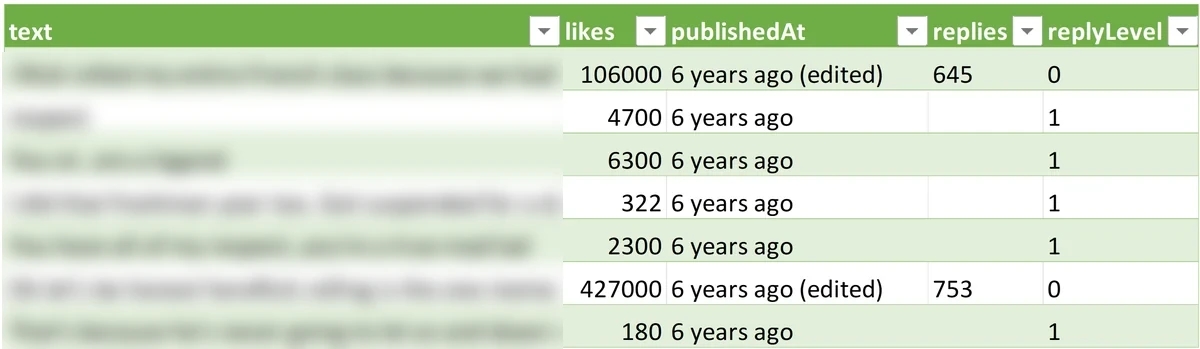
The text, the name, the channel link and the video link each get their own column. Likes, reply count and date share one column called attributes.
To split that column, choose Transform Data and select attributes. Choose Parse, pick JSON and expand the column.
To keep it as an Excel file, save it as a workbook once it's open. CrowdYeti has no .xlsx download.
Can I put the comments in Google Sheets?
Yes. After your first payment, open the finished run and choose Send to Google Sheets. CrowdYeti adds the comments to the bottom of the sheet's first tab.
To use the CSV instead, open File in Google Sheets and choose Import. Either way, likes, reply count and date share the attributes column.
Can I download YouTube comments as JSON?
Yes. Choose Export and pick As JSON. You get one object per comment or reply.
Likes, reply count and date are separate fields inside attributes, so code can read them without splitting a column.
Can I download comments from YouTube Shorts?
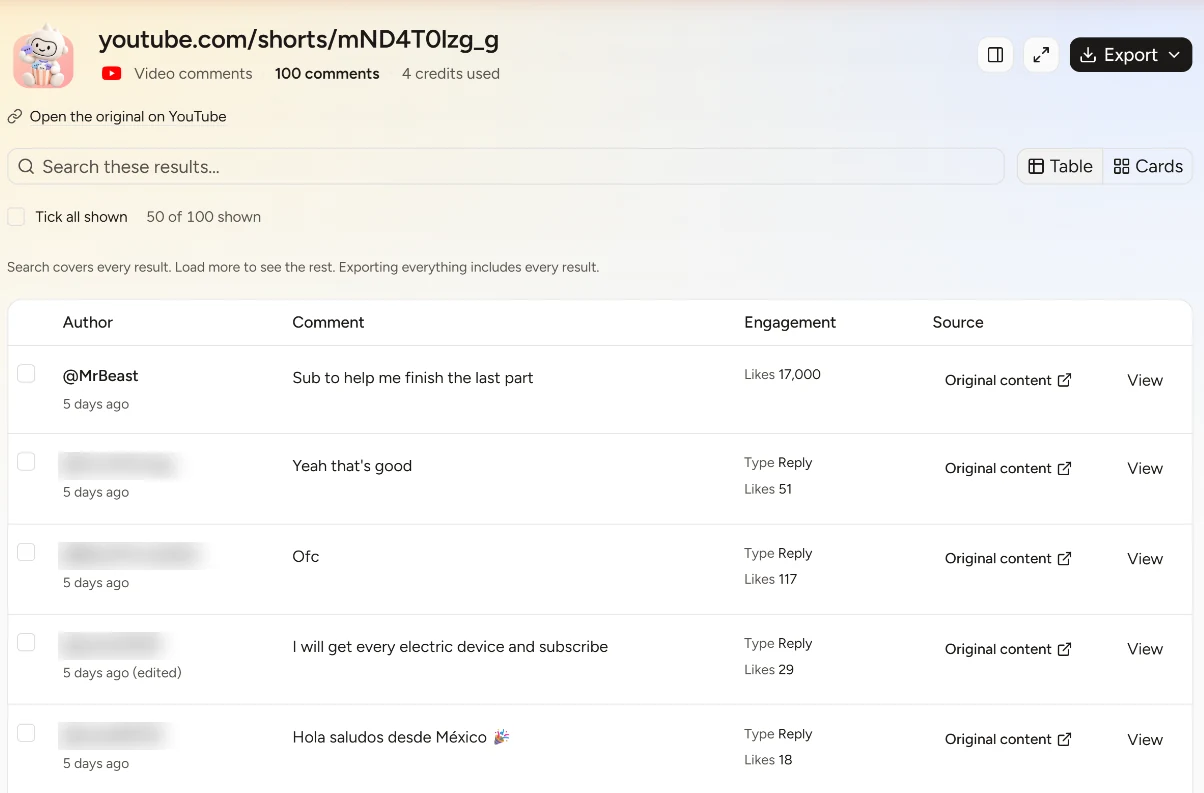
Yes. Paste the Short's link, the one with /shorts/ in it. We saved 100 comments and replies from a MrBeast Short in 1 minute 27 seconds, for 4 credits.
Can I download the live chat from a stream replay?
No. Live chat is the stream of messages beside a live video, and CrowdYeti's Live chat Scout is switched off for now.
The comments under a finished stream do work. Paste its youtube.com/live/ link as it is.
On a finished stream, our test saved its comments and replies and no chat messages.
For the chat itself, yt-dlp, a free command-line tool, can save the chat of a finished stream when the replay was kept.
Which video links work?
These work: youtube.com/watch?v=..., youtu.be/... and youtube.com/shorts/..., with or without www. The Scout drops extras such as a start time or a playlist and reads just that video.
Links from a finished live stream (/live/), the m.youtube.com phone site and music.youtube.com work too.
Playlist links and channel links don't work here.
For several videos from one channel, start from the Listen to a channel's audience template.
Can I download comments on someone else's video?
Yes. Any public video works, yours or anyone else's, as long as its comments are on. You only paste the link.
On your own channel, YouTube Studio also lets you read, search and filter comments, including ones held for review. Its help pages don't mention a download.
CrowdYeti only sees public comments, so held, hidden and deleted comments won't be in your file.
Do I need to sign in to YouTube?
No. You don't connect a Google or YouTube account, and CrowdYeti never posts, likes or replies on YouTube for you. You do need a CrowdYeti account to run the Scout.
The free YouTube comment downloader needs no account.
Can I just scroll and copy the comments?
Yes, for a small video. Open it on a computer and scroll until no more comments load. Open the replies you want, then select and copy.
YouTube loads comments a batch at a time as you scroll and keeps replies folded, so this gets slow on a big comment section.
What you paste is one block of text, with names, likes and dates mixed into it.
Can ChatGPT, Claude or Gemini read the comments from a video link?
Not reliably. Google's Gemini help says Gemini can find videos and summarise what a video says. It says nothing about comments.
We found no page from OpenAI, Anthropic or Perplexity that says their apps read a video's comments from a link.
YouTube loads comments while you scroll, and Anthropic's docs say Claude's web fetch tool doesn't handle pages built with JavaScript.
Download the comments first, upload the CSV or JSON to ChatGPT or Claude and ask your question there.
The YouTube mobile app has Comment topics, an AI summary of large comment sections. You can only read it in the app.
How can AI sort or summarise the comments?
Upload the downloaded file to ChatGPT or Claude and ask for the main themes, questions or complaints.
You can also do it in CrowdYeti, with a workflow that runs Video comments and then an AI task.
Categorise puts a label on each comment, such as Question, Complaint or Praise. Write a report gives you one summary with links to the comments it used.
With DeepSeek V4.1 Flash, labels set aside 1 credit for every 5 comments, and a report 2 credits for every 25 comments plus 8.
Check the labels before you trust them. In our LinkedIn test, 3 of the first 5 picks were wrong.
CrowdYeti's Assistant sets up the Scout or workflow from plain words. It doesn't read or analyse your comments.
On paid plans, Claude can also start the Scout and read the comments for you, through CrowdYeti's MCP connector.
How long does it take?
Our runs took between 51 seconds and 4 minutes 6 seconds.
500 comments and replies took 4 minutes 6 seconds, and 100 from a Short took 1 minute 27 seconds.
Small runs aren't always quicker. 29 rows from a short tutorial took 2 minutes 43 seconds.
You can leave the page while it runs, and the results will be waiting in Data.
How do I find the top commenters across many videos?
CrowdYeti can collect comments from up to 10 videos in one workflow step. You then count them yourself in a spreadsheet.
Start from the Listen to a channel's audience template. It lists a channel's recent uploads, you tick the videos you want, and it collects comments from each one.
The template starts with 3 videos and 10 comments per video. In the Video comments step, raise Maximum sources to collect (up to 10) and the number of comments.
One step holds at most 2,000 rows, for example 10 videos with 200 comments each. Then export the file and count rows per profile_url with a pivot table.

Can I get the exact date of each comment?
No. Dates are saved the way YouTube shows them, such as "6 years ago", so you can't sort or filter by exact date.
If you need exact times, the YouTube Data API has them.