

What you get
Each comment becomes a row with the author's username, the date, the text and its likes.
Replies to comments aren't saved, and the form says so under the link box.
Instagram often lists fewer comments than the count under a post. The file holds what Instagram lists.
Step by step
- Copy the post link: On Instagram, open the post or reel and copy its link from the share menu or the address bar.
- Open the Post commenters Scout: Paste the link and set how many comments you want, up to 2,000 in one run.
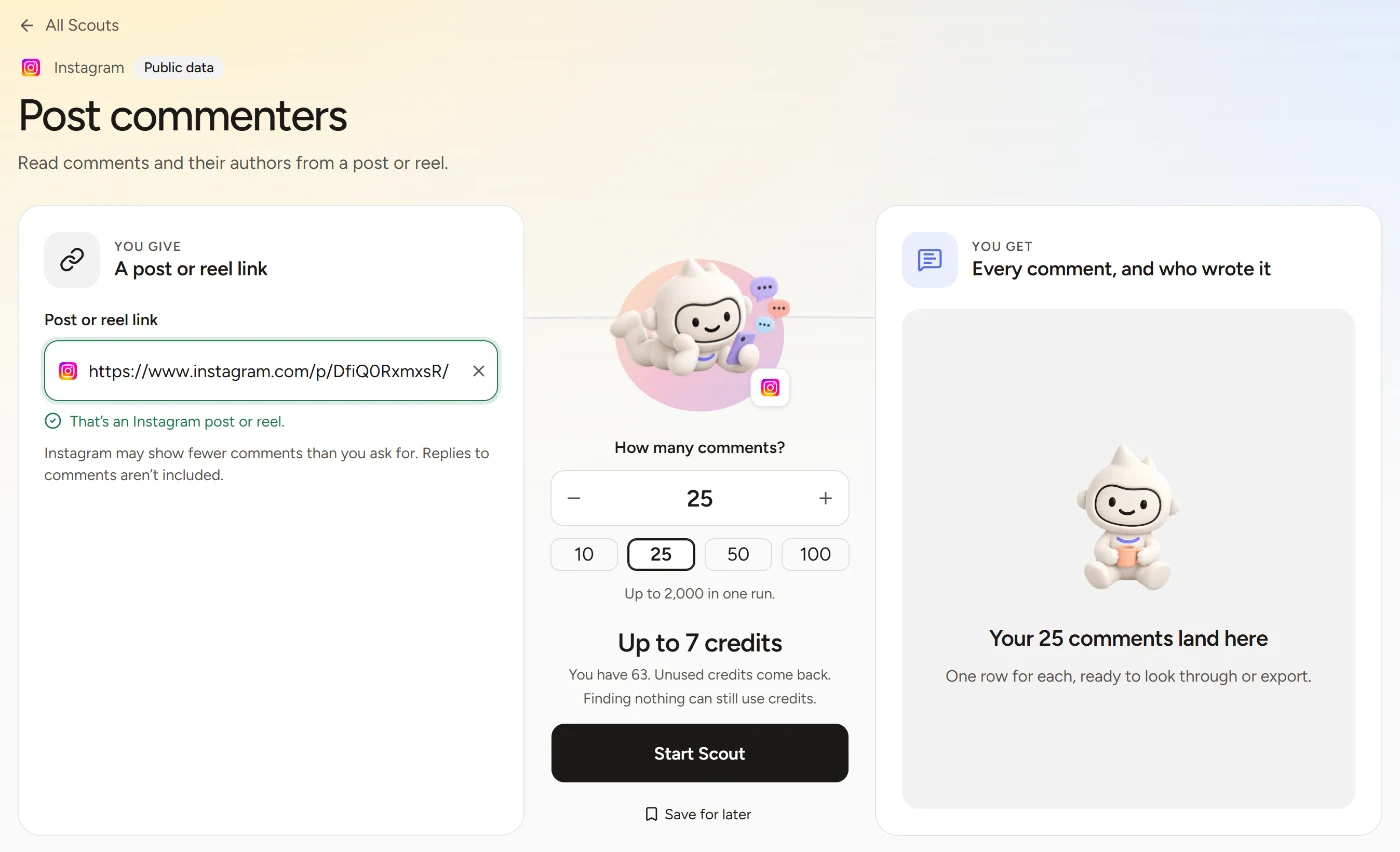
We asked for 25 comments. The form said up to 7 credits, and the run used 2. Tap the picture to open it full size. - Start the Scout: Press Start Scout. Any credits the run doesn't use go back to you when it ends.
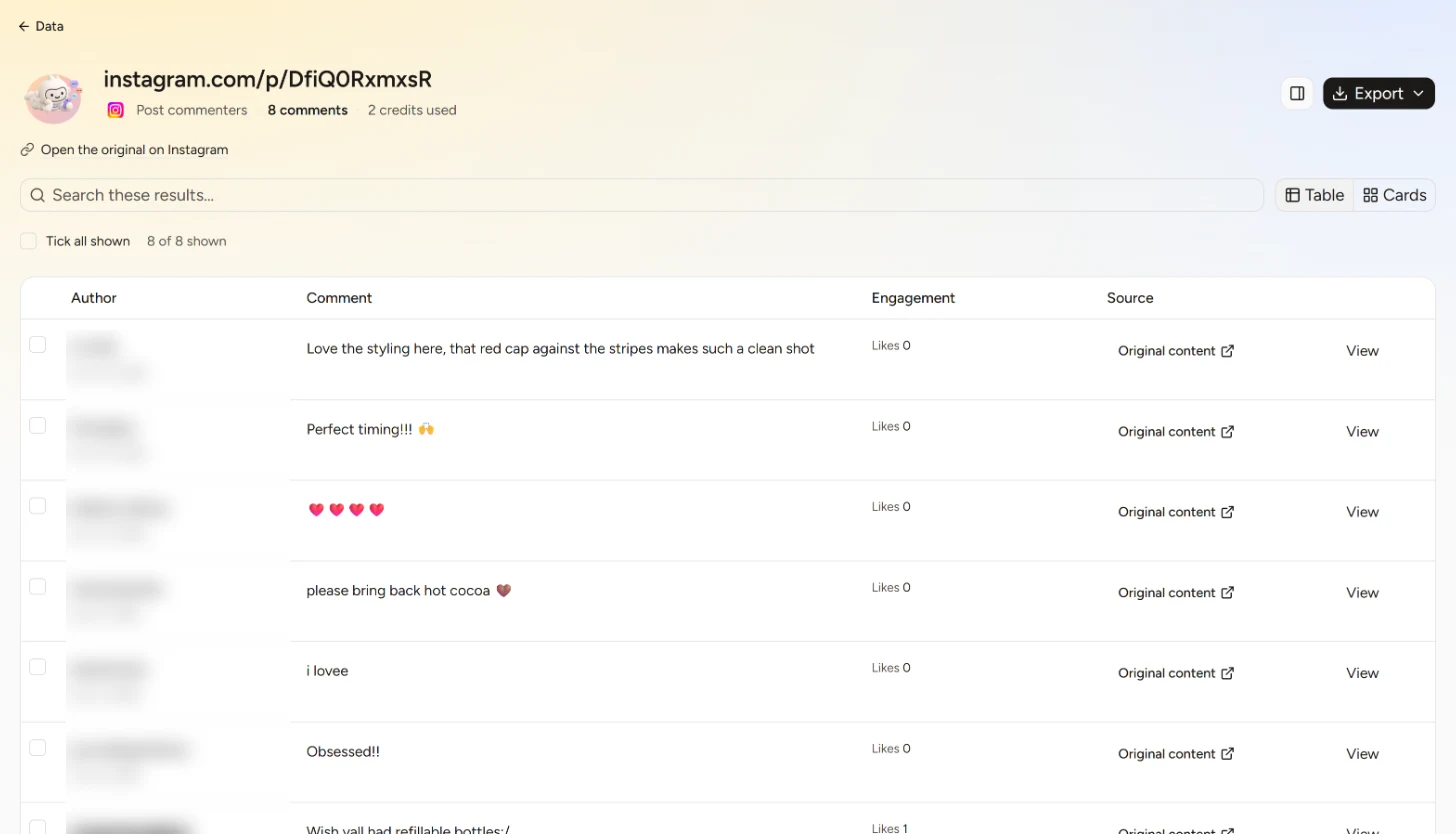
- Read the comments: Open the run in Data. Search these results finds a word in every saved comment, such as a product name.
- Download the file: Choose Export and pick As CSV or As JSON. Downloads unlock after your first payment.
What a real run returned
| Post | Asked for | Got | Credits used | Time |
|---|---|---|---|---|
| A Glossier sale post showing 12 comments | 25 | 8 comments, replies left out | 2 | 54 s |
Good to know
- Instagram showed 12 comments under the post. The page listed 8 comments and 3 replies, and the run saved the 8 comments.
- The run set aside 7 credits and gave 5 back when it finished.
- Seven of our 8 comments had 0 likes.
- CrowdYeti doesn't sign in to Instagram or use your account.
Other ways to do this
| Way | Cost | How many comments | Replies | Best for |
|---|---|---|---|---|
| Scroll and copy by hand | Free | What you can scroll through | Only threads you open | A handful of comments |
| Instagram's Download your information | Free | Only comments you wrote | Only your own | Backing up your own activity |
| Browser extensions | Free tier, then paid | Small free caps | Often included | One post, from your own logged-in browser |
| Scraper marketplaces, such as Apify | Pay per result, with an account there | You set it per run | Depends on the scraper | People who already use that platform |
| CrowdYeti Post commenters | 2 credits for our 8. Monthly plans from $29/month. | Up to 2,000 per run | Left out | A spreadsheet of one post's comments without your Instagram login |
Questions people ask
Can I export Instagram comments to Excel?
Yes. Download the CSV and import it from Excel's Data tab with From Text/CSV.
Set File origin to 65001: Unicode (UTF-8) so emoji and accented letters stay readable.
Why do I get fewer comments than the post shows?
The count under a post includes replies, and Instagram doesn't list every comment to visitors. Our post showed 12 and listed 8 comments with 3 replies.
Can I export comments from a reel?
Yes. Paste the reel link into the same Scout. The form takes post and reel links.
Can I export comments from someone else's post?
Yes, if the post is public. The post in our test belongs to Glossier, and we read it without signing in to Instagram.