


What you get
LinkedIn has no export for this. Its data download only includes comments you wrote yourself.
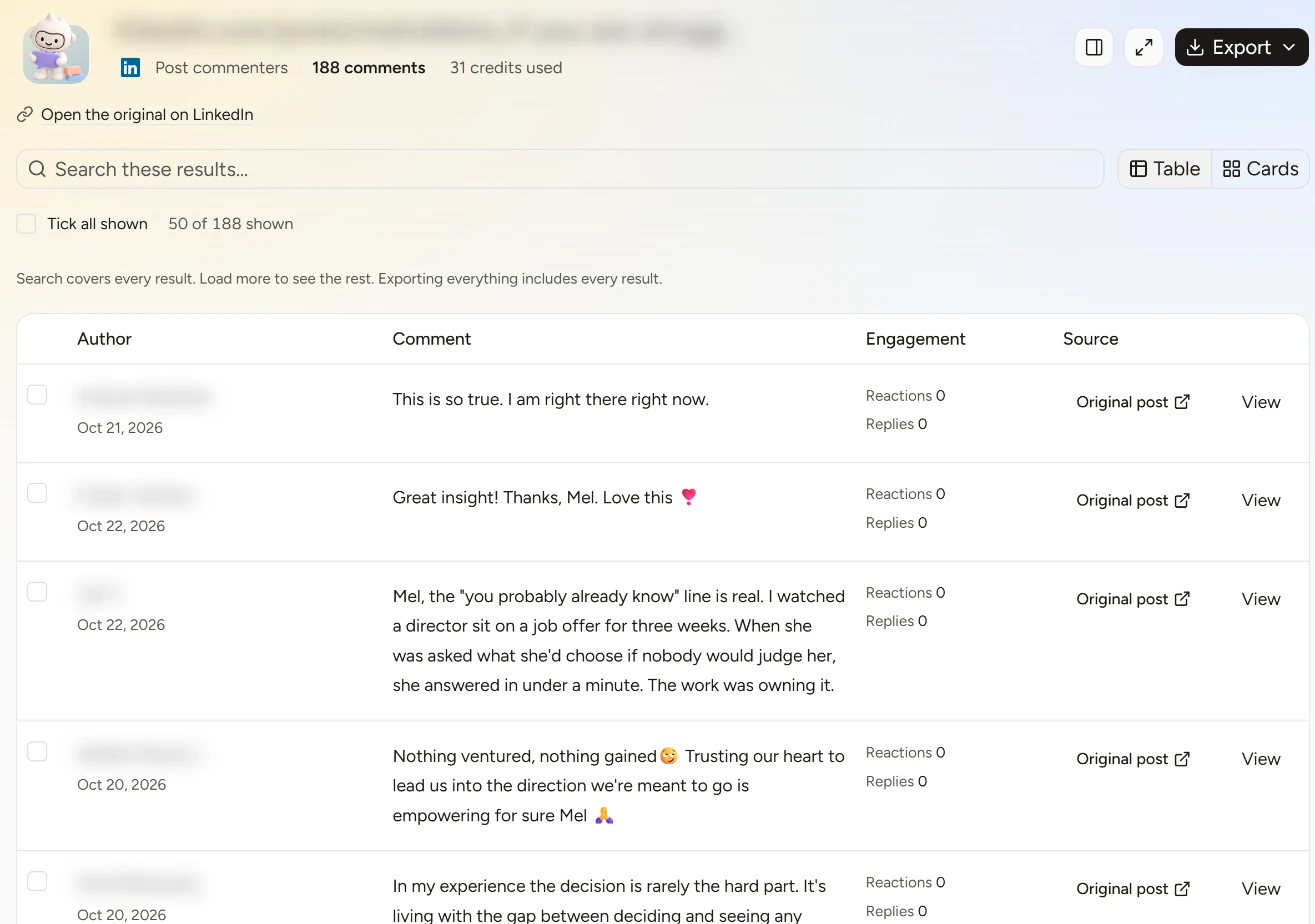
Each comment comes with its text, date and reaction count, plus the commenter's name and profile link.
After that, you tick the people you want to know more about. A second step collects their headline, experience, education and skills.
Step by step
- Copy the post link: On LinkedIn, click the three dots on the post and choose Copy link to post. Links with /posts/ or /feed/update/ both work.
- Paste it into the template: Open the Comments to profiles template and paste the link. Set how many comments you want, up to 2,000. The template starts at 10.
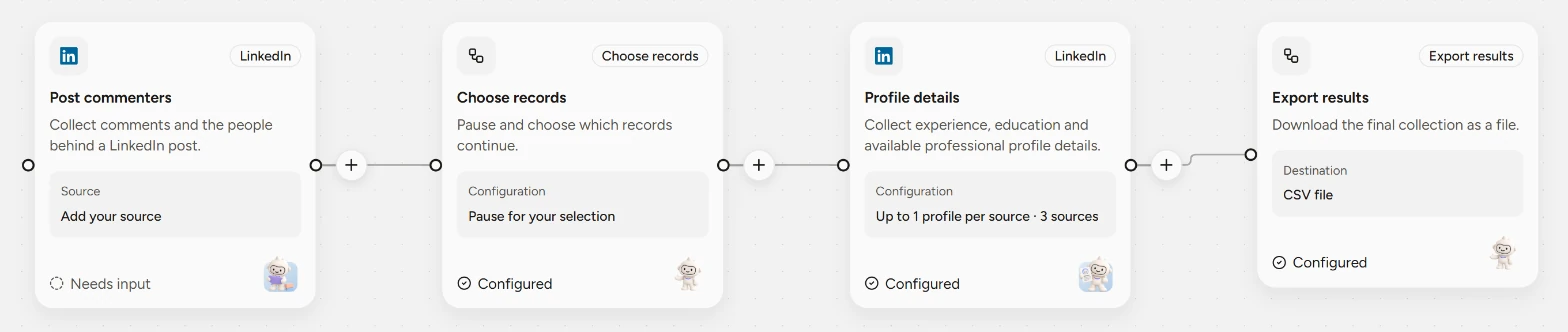
The template has four steps in a row: Post commenters, Choose records, Profile details and Export results. Tap the picture to open it full size. - Decide on replies: Replies are off at first. To get them, turn on Include replies in the first step. They come on top of the number you set.
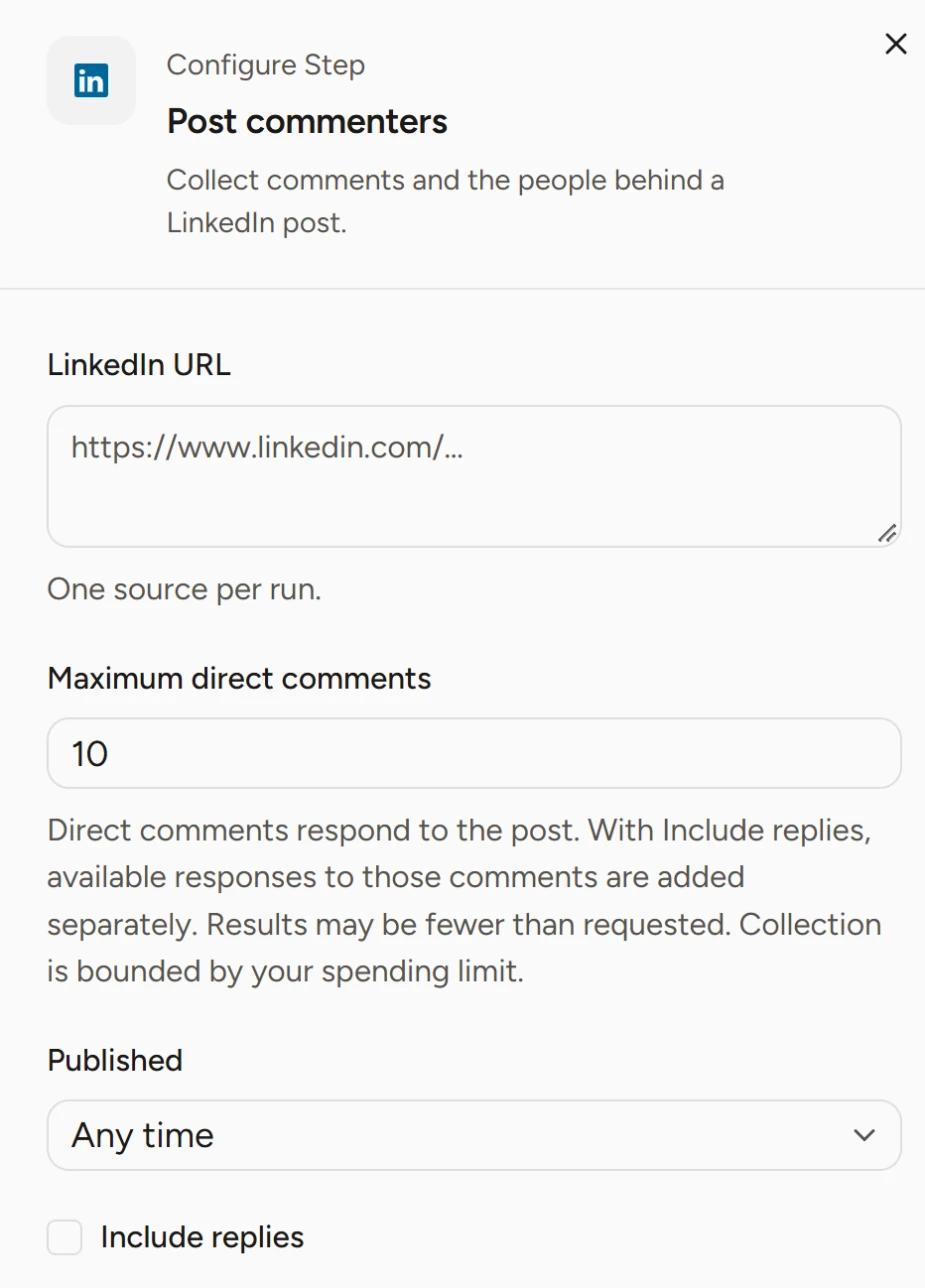
The first step asks for the post link, how many comments, a date range and whether to include replies. Tap the picture to open it full size. - Start the run: Press Review run to see the most it can cost, and press Start workflow. When the run ends, you get back any credits it didn't use.
- Tick the people you want: The run pauses once the comments are in. Tick the commenters you want to know more about and press Continue.
- Get their profiles: Profile details looks up 3 people by default. To look up more, open that step and raise Maximum sources to collect, up to 10.
- Download the file: Download a CSV or JSON from the Export step. Downloads unlock after your first payment. During a trial you can review everything in the app.
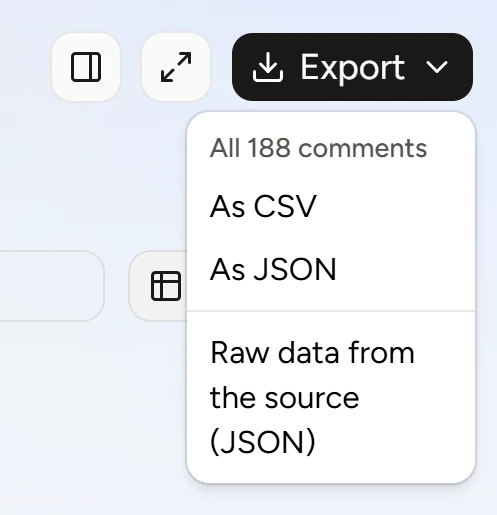
The Export menu on our run. Raw data is the file exactly as the source sent it. Tap the picture to open it full size.
What a real run returned
| Replies off | Replies on | |
|---|---|---|
| Count shown on the post | 189 | 189 |
| Rows we got | 155 comments | 188: 155 comments and 33 replies |
| Credits used | 31 | 31 |
| Time | 2 min 14 s | 2 min 1 s |
Good to know
- Your list can be shorter than the count on the post. LinkedIn counts replies too, and its help pages say some comments only show under Most recent.
- Each comment row keeps the commenter's headline when LinkedIn shows one. The Profile details step adds experience, education and skills for the people you pick.
- You don't log in to LinkedIn or hand over a cookie, so CrowdYeti never uses your LinkedIn account.
- The number you set is a maximum. A post with 40 comments gives you 40 rows at most.
- Links from www.linkedin.com, the m. phone site and country addresses such as uk.linkedin.com all work.
- Profile details doesn't collect email addresses or phone numbers.