

What you get
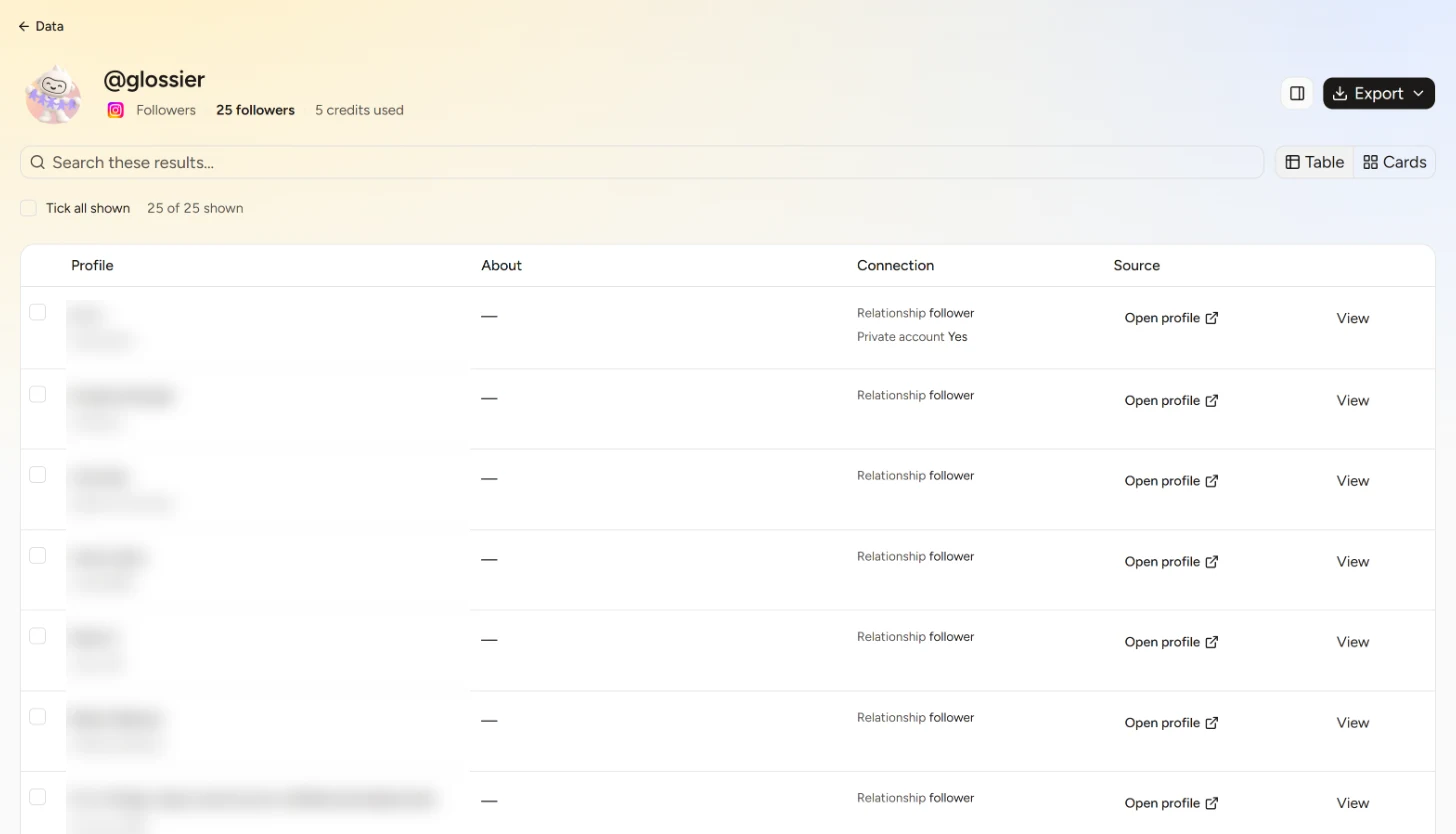
Each follower becomes a row with a name, a username, a profile link and whether the account is private.
Instagram shows only part of a big account's follower list, so a run on Glossier saves a slice of it. The form says so.
The rows have no bio or follower count. Profile details adds those for the accounts you pick.
Step by step
- Pick the account: Type a username, like glossier, or paste the profile link.
- Open the Followers Scout: Set how many followers you want, up to 2,000 in one run. The form starts at 25.
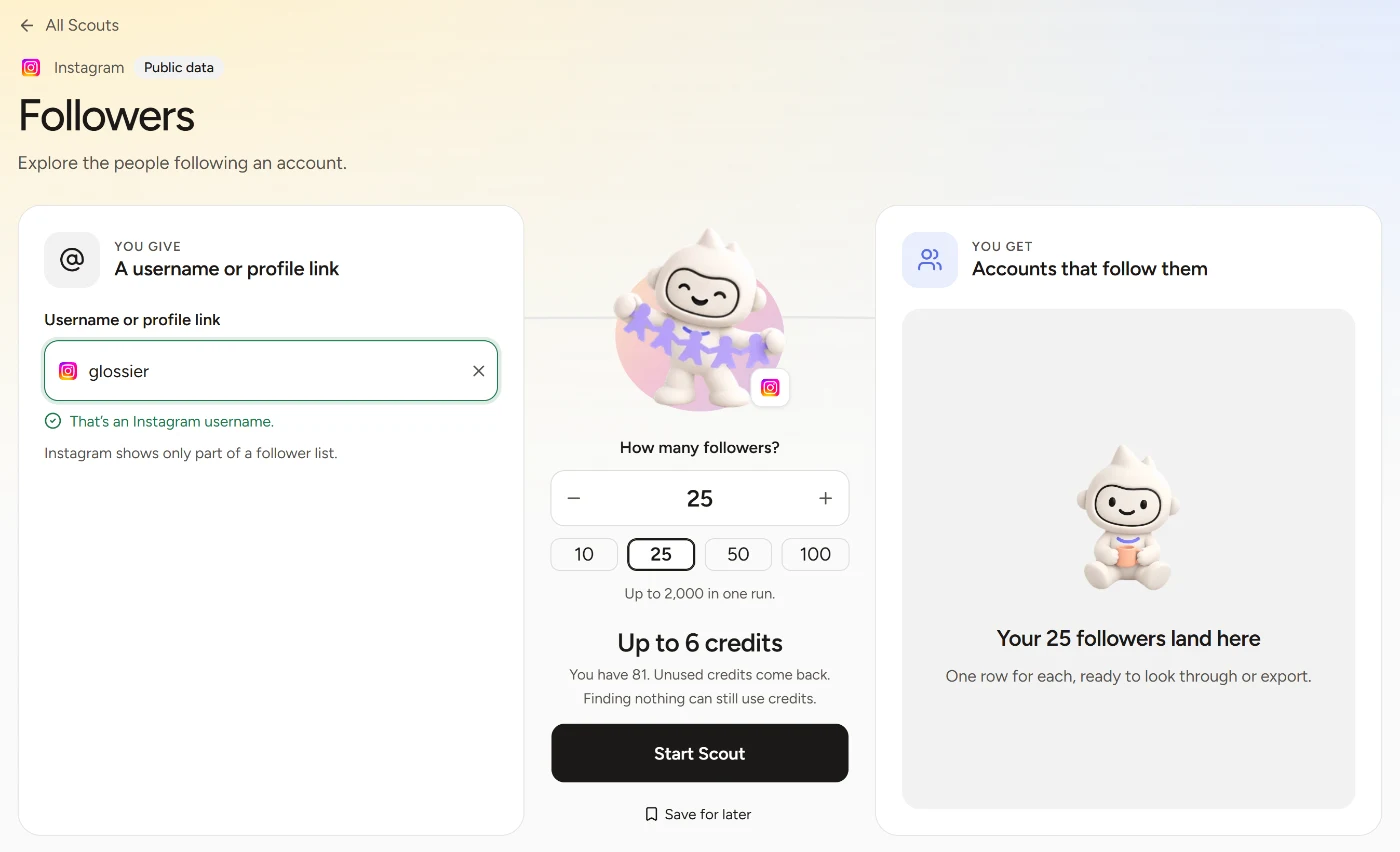
We asked for 25 of Glossier's followers. The form said up to 6 credits, and the run used 5. Tap the picture to open it full size. - Start the Scout: Press Start Scout. Our run finished in 58 seconds.
- Add bios to the ones you like: Copy a username into Profile details to save its bio, follower count and post count. Each lookup reads one account.
- Download the list: Choose Export and pick As CSV or As JSON. Downloads unlock after your first payment.
What a real run returned
| Account | Asked for | Got | Credits used | Time |
|---|---|---|---|---|
| Glossier | 25 | 25 followers, 5 of them private | 5 | 58 s |
Good to know
- Five of our 25 followers had private accounts. Their names and usernames were saved like the rest.
- Instagram decides which part of a big list it shows, so ask for the number you need.
- For your own followers, Instagram's free download has the whole list.
- CrowdYeti doesn't sign in to Instagram or follow anyone.
Other ways to do this
| Way | Cost | Whose followers | What you get | Best for |
|---|---|---|---|---|
| Instagram's Download your information | Free | Only your own account | Your whole list | Backing up your own followers |
| Scroll and copy by hand | Free | Any public account | What you can scroll through | A few dozen names |
| Browser extensions | Free tier, then paid | Any public account | Runs in your logged-in Instagram | People happy to use their own account |
| CrowdYeti Followers | 5 credits for our 25. Monthly plans from $29/month. | Any public account | Up to 2,000 per run, a slice of a big account | A competitor's audience without your Instagram login |
Questions people ask
Can I export followers from someone else's Instagram account?
Yes, if the account is public. We ran it on Glossier without signing in to Instagram.
Why didn't I get every follower?
Instagram shows only part of a big account's follower list. A run saves a slice of it, up to 2,000 rows.
Can I get each follower's follower count?
The Followers rows don't have it. Run Profile details on the usernames you care about, one account per lookup.
Will the account see that I exported its followers?
CrowdYeti reads the public list without signing in, so nothing happens from your profile.