

What you get
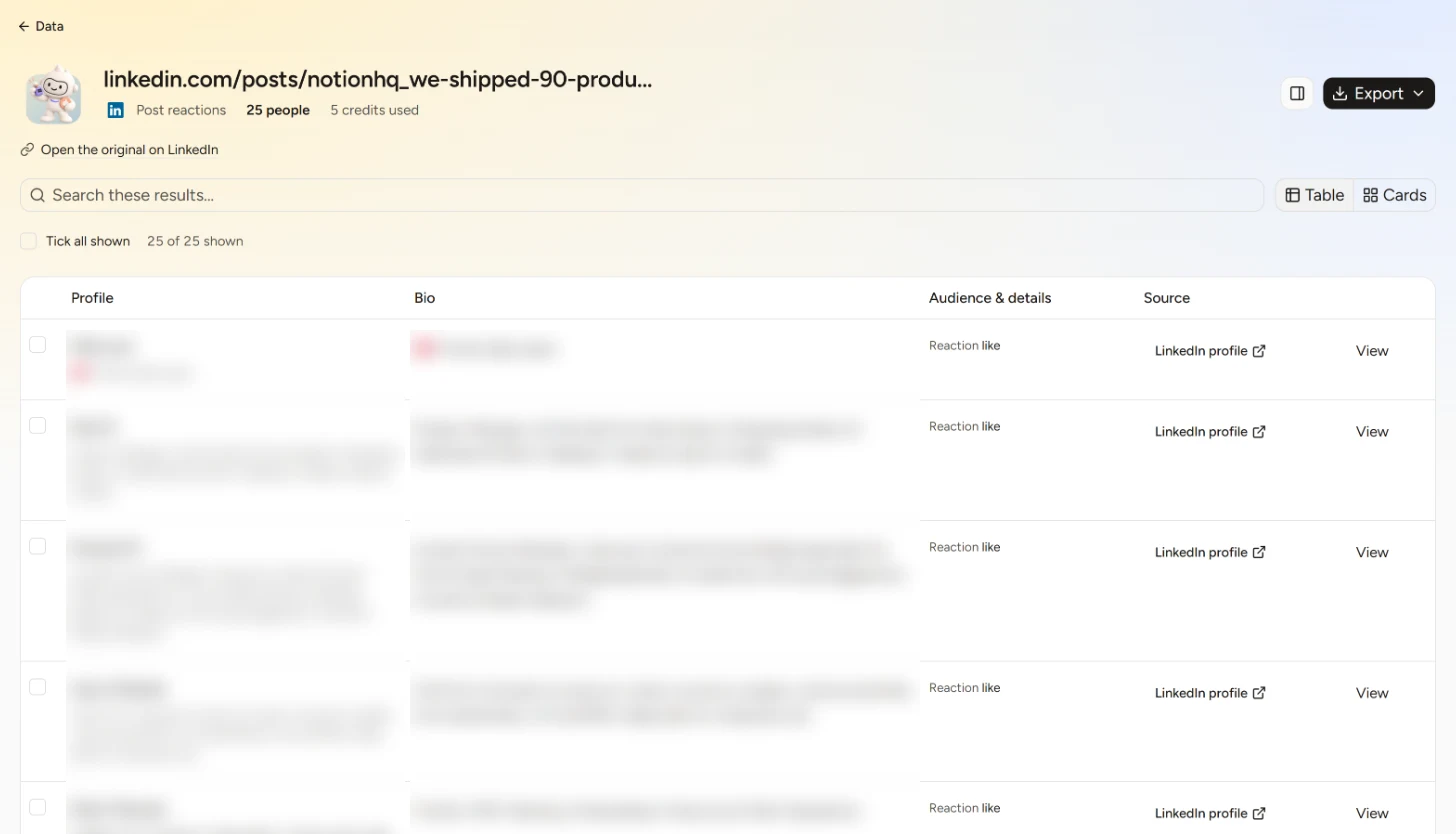
Each person becomes a row with a name, a headline, the reaction they gave and a LinkedIn profile link.
Of our 25, 23 gave a Like, one a Love and one a Celebrate. CrowdYeti shows Love as empathy and Celebrate as praise, the names LinkedIn stores.
It works on any public post, so you can see who engages with a competitor's announcements.
Step by step
- Copy the post link: On LinkedIn, click the three dots on the post and choose Copy link to post. Links with /posts/ or /feed/update/ both work.
- Open the Post reactions Scout: Paste the link and pick how many people you want, up to 2,000 in one run.
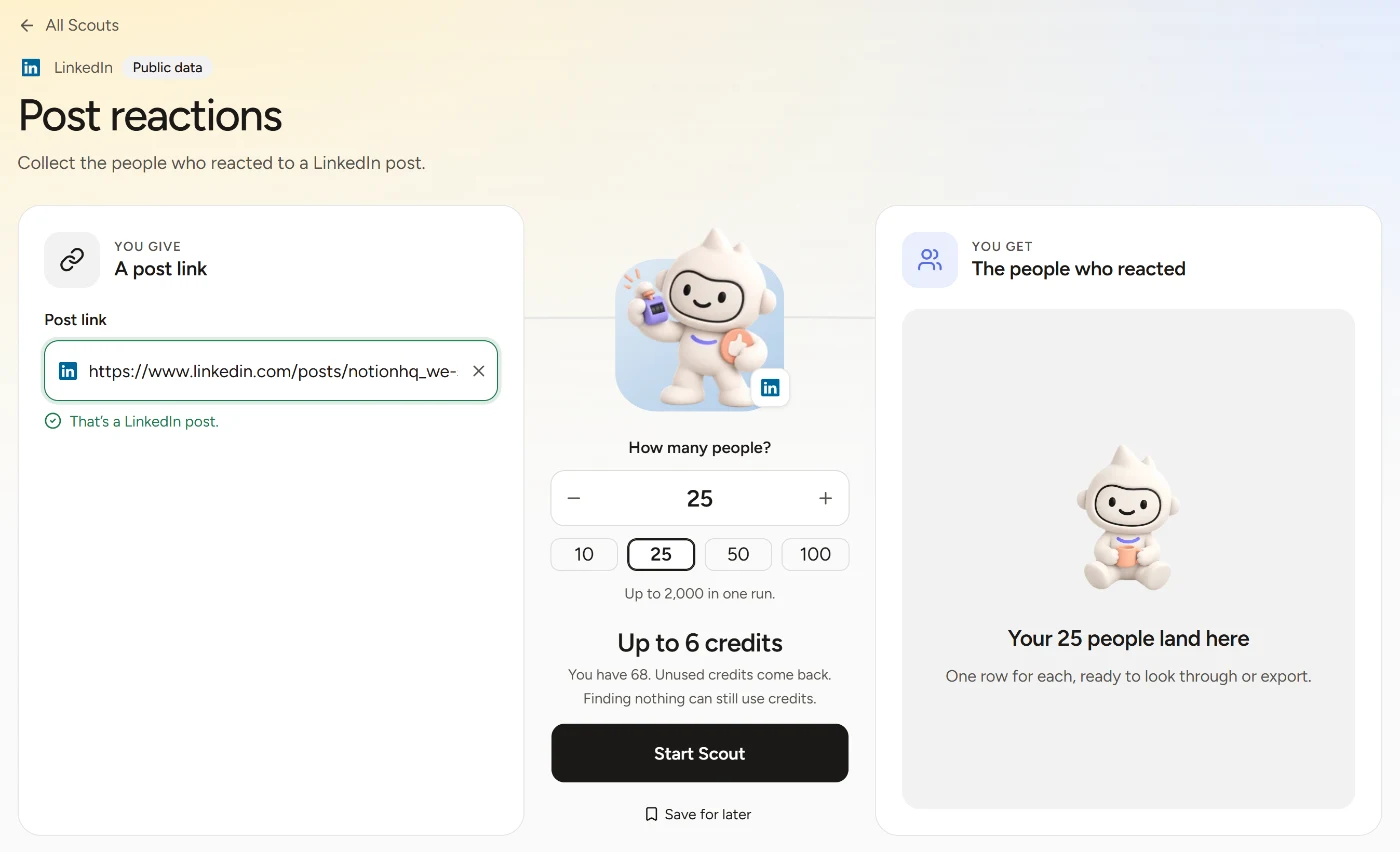
We asked for 25 people. The form said up to 6 credits, and the run used 5. Tap the picture to open it full size. - Start the Scout: Press Start Scout. Ours finished in 54 seconds.
- Add the comments: Post commenters takes the same link and saves what people wrote, each with its author.
- Download the list: Choose Export and pick As CSV or As JSON. Downloads unlock after your first payment.
What a real run returned
| Post | Asked for | Got | Credits used | Time |
|---|---|---|---|---|
| A Notion post about 90 product updates | 25 | 25 people: 23 Like, 1 Love, 1 Celebrate | 5 | 54 s |
Good to know
- The number you set is a maximum. A post with fewer reactions saves fewer people.
- Reactions on single comments aren't collected. This Scout reads reactions on the post itself.
- Emails and phone numbers are never saved.
- CrowdYeti doesn't sign in to LinkedIn or use your account.
Other ways to do this
| Way | Cost | What you get | Best for |
|---|---|---|---|
| Click the reaction count on LinkedIn | Free | Names and headlines on screen | A quick look at a small post |
| Browser extensions | Free tier, then paid | Exports from your logged-in LinkedIn | People happy to use their own account |
| Scraper marketplaces, such as Apify | Pay per result, with an account there | Depends on the scraper | People who already use that platform |
| CrowdYeti Post reactions | 5 credits for our 25. Monthly plans from $29/month. | Name, headline, reaction and profile link | A list of reactors without your LinkedIn login |
Questions people ask
Can I see who reacted to someone else's LinkedIn post?
Yes, if the post is public. Our test used a post from Notion's company page.
Can I export who liked a comment on a post?
This Scout reads reactions on the post. Reactions on single comments aren't part of it.
Does the poster find out that I exported the list?
CrowdYeti reads public data without signing in, so nothing is done from your LinkedIn profile.
Can I see the reaction count without a run?
Yes. The free LinkedIn post stats checker shows a post's reactions and comments from one link.