
What you get
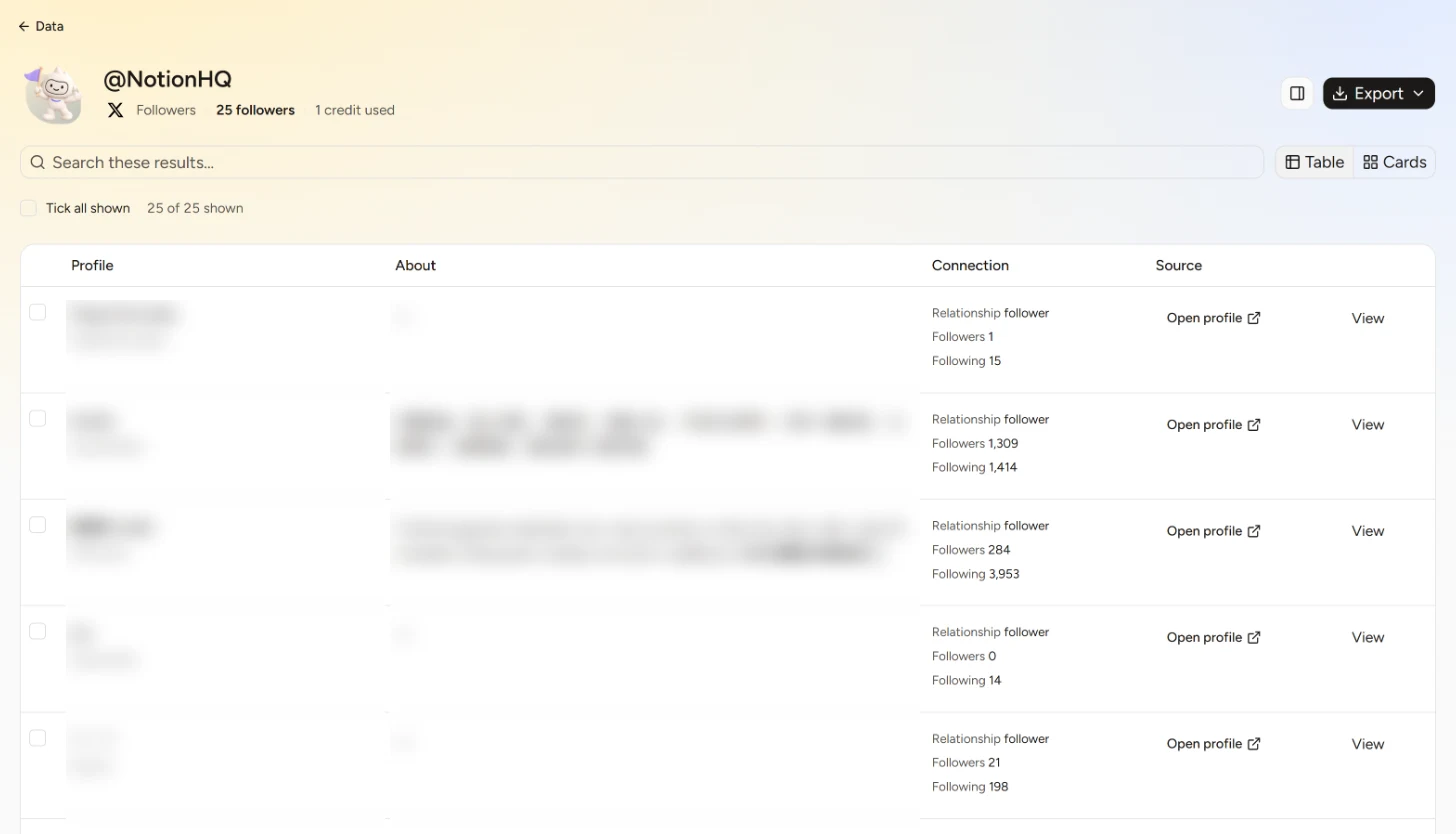
Each follower becomes a row with a name, a username, a profile link, a bio and their own follower and following counts.
The newest followers come first. Of our 25, only one had more than 1,000 followers of its own.
To find the notable accounts in a list, run a bigger number and sort the CSV by follower count.
Step by step
- Pick the account: Type a username, like NotionHQ, or paste the profile link from x.com or twitter.com.
- Open the Followers Scout: Set how many followers you want, up to 2,000 in one run.
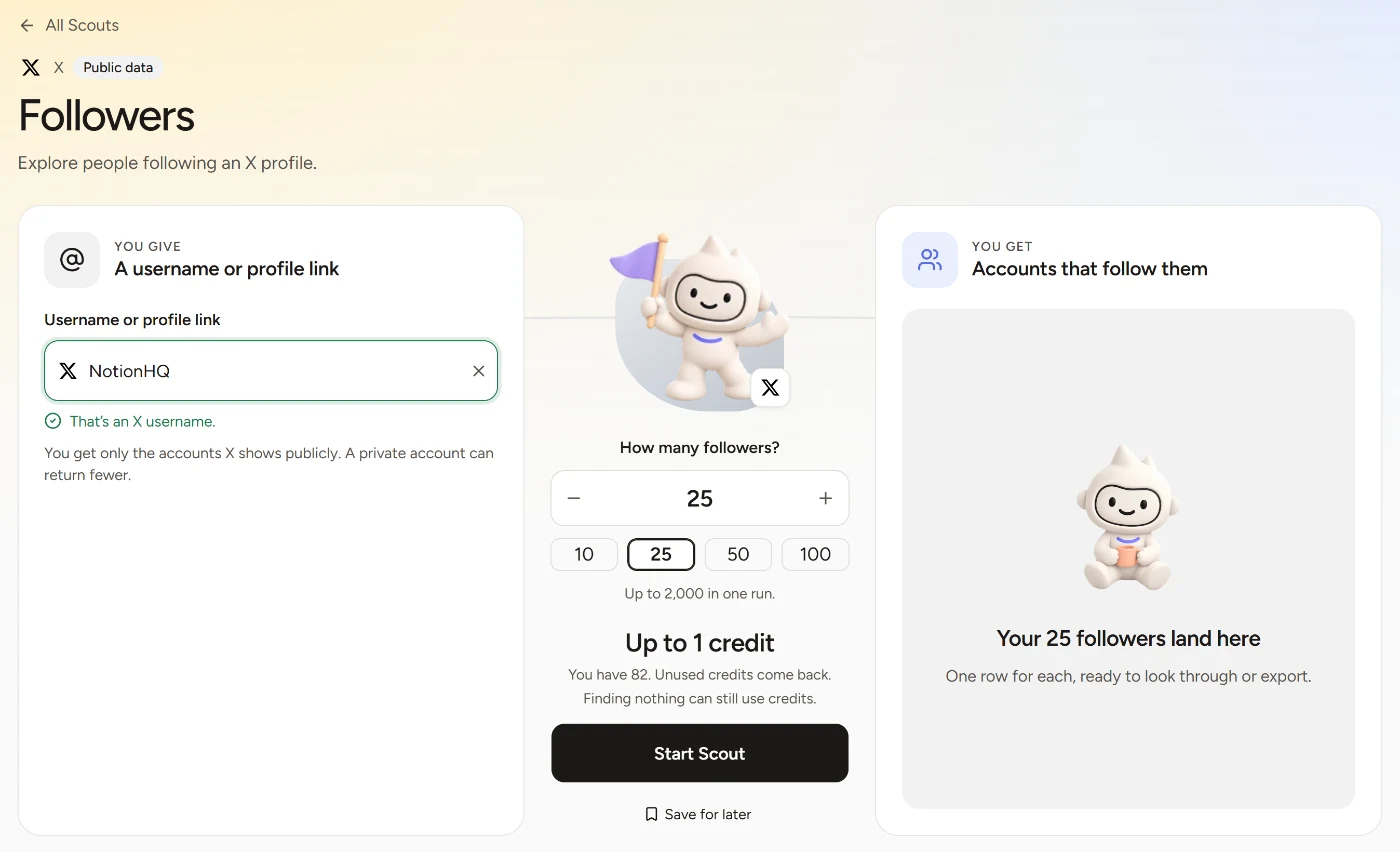
We asked for 25 of Notion's followers. The form said up to 1 credit, and the run used 1. Tap the picture to open it full size. - Start the Scout: Press Start Scout. Ours finished in 1 minute 24 seconds.
- Download the list: Choose Export and pick As CSV or As JSON. Downloads unlock after your first payment.
What a real run returned
| Account | Asked for | Got | Credits used | Time |
|---|---|---|---|---|
| Notion (@NotionHQ) | 25 | 25 followers with bios and counts | 1 | 1 min 24 s |
Good to know
- If an account hides its list, the Scout says so and charges nothing.
- You get the accounts X shows publicly, so the list can be shorter than the count on the profile.
- CrowdYeti doesn't sign in to X, follow anyone or send messages.
Other ways to do this
| Way | Cost | Whose followers | Best for |
|---|---|---|---|
| X's data archive | Free | Only your own account | Backing up your own account |
| Scroll the Followers tab by hand | Free | Any public account | A few dozen names |
| Browser extensions | Free tier, then paid | Any public account, from your logged-in browser | People happy to use their own X login |
| X API | Paid access | Any account | Developers who write code |
| CrowdYeti Followers | 1 credit for our 25. Monthly plans from $29/month. | Any public account | A spreadsheet without your X login |
Questions people ask
Can I export another account's followers?
Yes, for public accounts. We ran it on Notion without an X login.
Can I export followers with their bios?
Yes. Each row in our run held the bio when the follower had written one, plus their follower and following counts.
How many followers can I export at once?
Up to 2,000 per run. The run stops at your number even when the account has more.
What if the account is private?
You only get what X shows publicly, which can be few followers or none.