

What you get
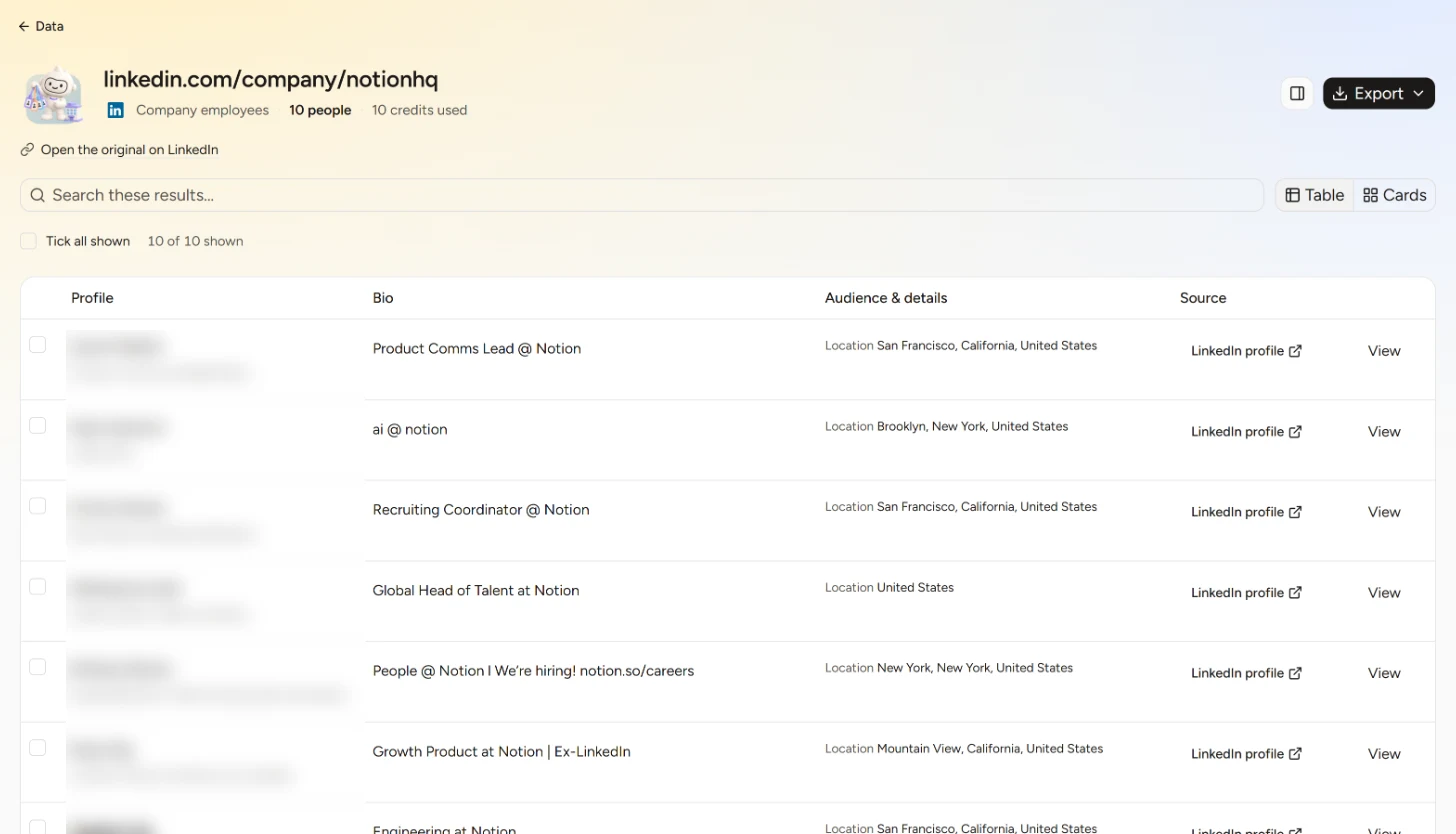
Each person becomes a row with a name, a headline, a location and a LinkedIn profile link.
This Scout costs more per person than most. Ours used about 1 credit a person, so start small and raise the number once the list looks right.
The headline usually names the role, like Recruiting Coordinator or Product Comms Lead. Search these results finds a job title across the list.
Step by step
- Copy the company page link: On LinkedIn, open the company page and copy its link. It ends in /company/ and the company's name.
- Open the Company employees Scout: Paste the link and pick how many people you want, up to 2,000 in one run.
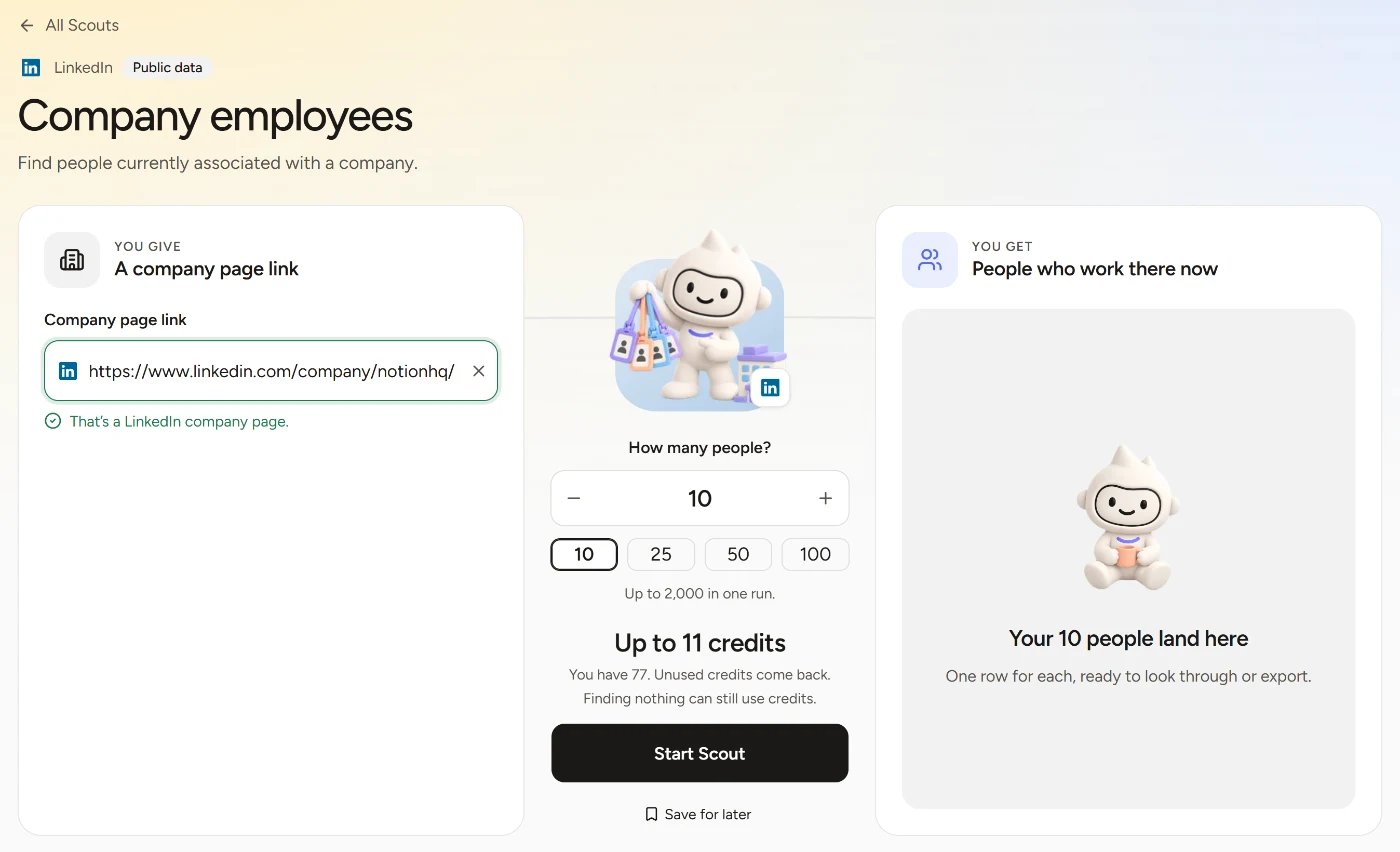
We asked for 10 people at Notion. The form said up to 11 credits, and the run used 10. Tap the picture to open it full size. - Start the Scout: Press Start Scout. Ours finished in 1 minute 8 seconds.
- Look up full profiles: Paste up to 10 profile links into Profile details to add experience, education and skills.
- Download the list: Choose Export and pick As CSV or As JSON. Downloads unlock after your first payment.
What a real run returned
| Company | Asked for | Got | Credits used | Time |
|---|---|---|---|---|
| Notion | 10 | 10 people with headlines and locations | 10 | 1 min 8 s |
Good to know
- The list holds people LinkedIn ties to the company now. Past staff aren't part of it.
- The form has no job title filter. Search the saved results for a title word, or use People search with a job title.
- Emails and phone numbers are never saved, and CrowdYeti contacts nobody.
- CrowdYeti doesn't sign in to LinkedIn or use your account.
Other ways to do this
| Way | Cost | What you get | Best for |
|---|---|---|---|
| The company's People tab on LinkedIn | Free with a LinkedIn account | Names and headlines on screen | Reading a short list |
| Sales Navigator | Paid LinkedIn plan | Filters by role, saved to lists inside LinkedIn | Sales teams that already pay for it |
| Browser extensions | Free tier, then paid | Exports from your logged-in LinkedIn | People happy to use their own account |
| CrowdYeti Company employees | 10 credits for our 10. Monthly plans from $29/month. | Name, headline, location and profile link | A staff list without your LinkedIn login |
Questions people ask
Can I find people who used to work at a company?
This Scout lists current staff only. It looks for people LinkedIn ties to the company now.
Can I filter employees by job title?
The form has no title setting. Once the run is done, type a word like recruiter into Search these results.
Do I need a LinkedIn account?
No. You paste the company link, and CrowdYeti reads public data without signing in.
Why does this Scout cost more than others?
The source charges more for each person on this list. Our 10 people cost 10 credits, and the form shows the most a run can cost before you start.