
What you get
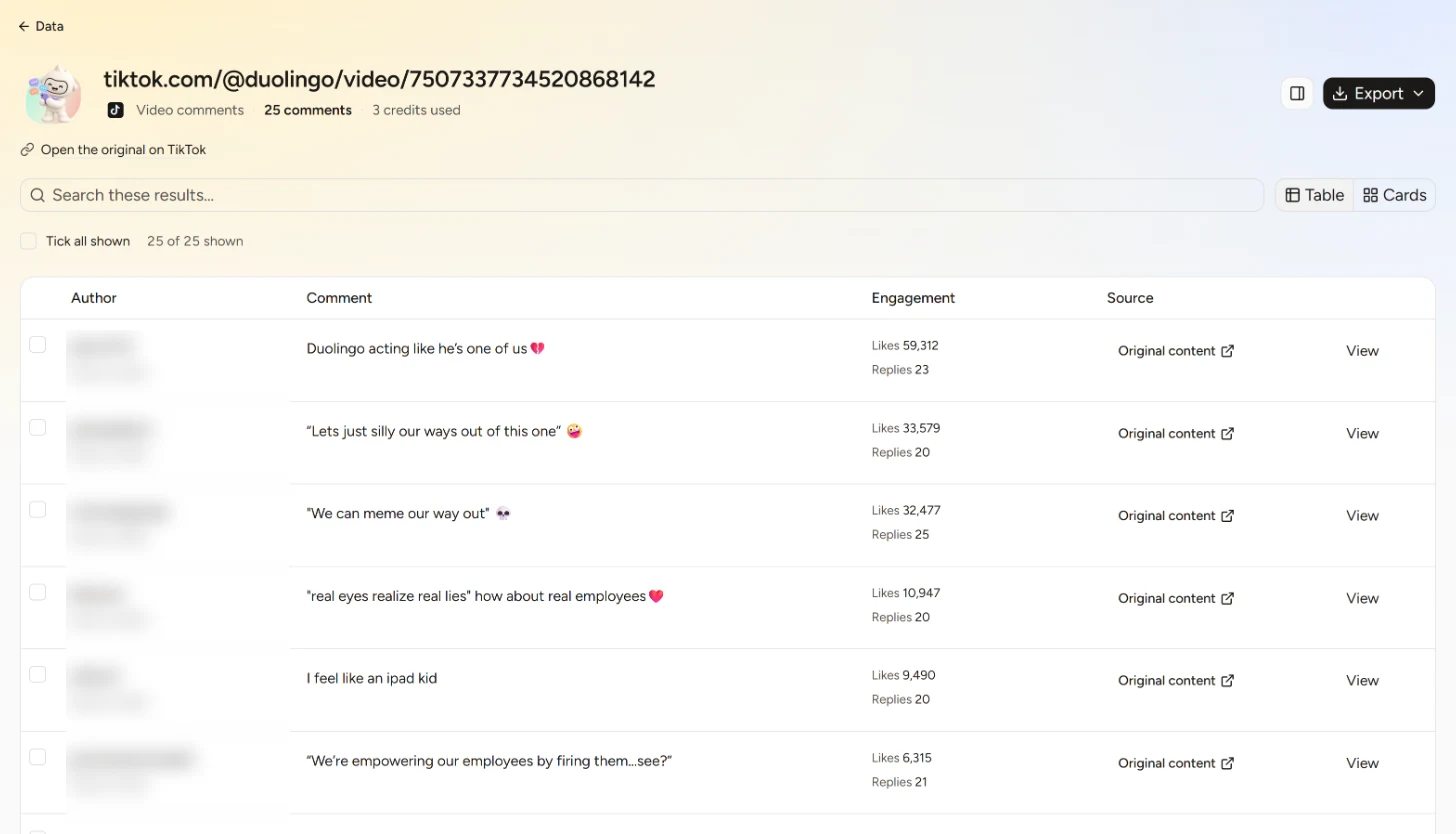
Each comment becomes a row with the username, the date, the text, its likes and how many replies it has.
The replies themselves aren't saved. The reply count shows where the long threads are.
Our 25 comments had between 172 and 59,312 likes. The most liked one had 23 replies.
Step by step
- Copy the video link: Use the full link with /@name/video/ in it. Text after a question mark is fine.
- Open the Video comments Scout: Paste the link. The form starts at 25 comments and goes up to 2,000 in one run.
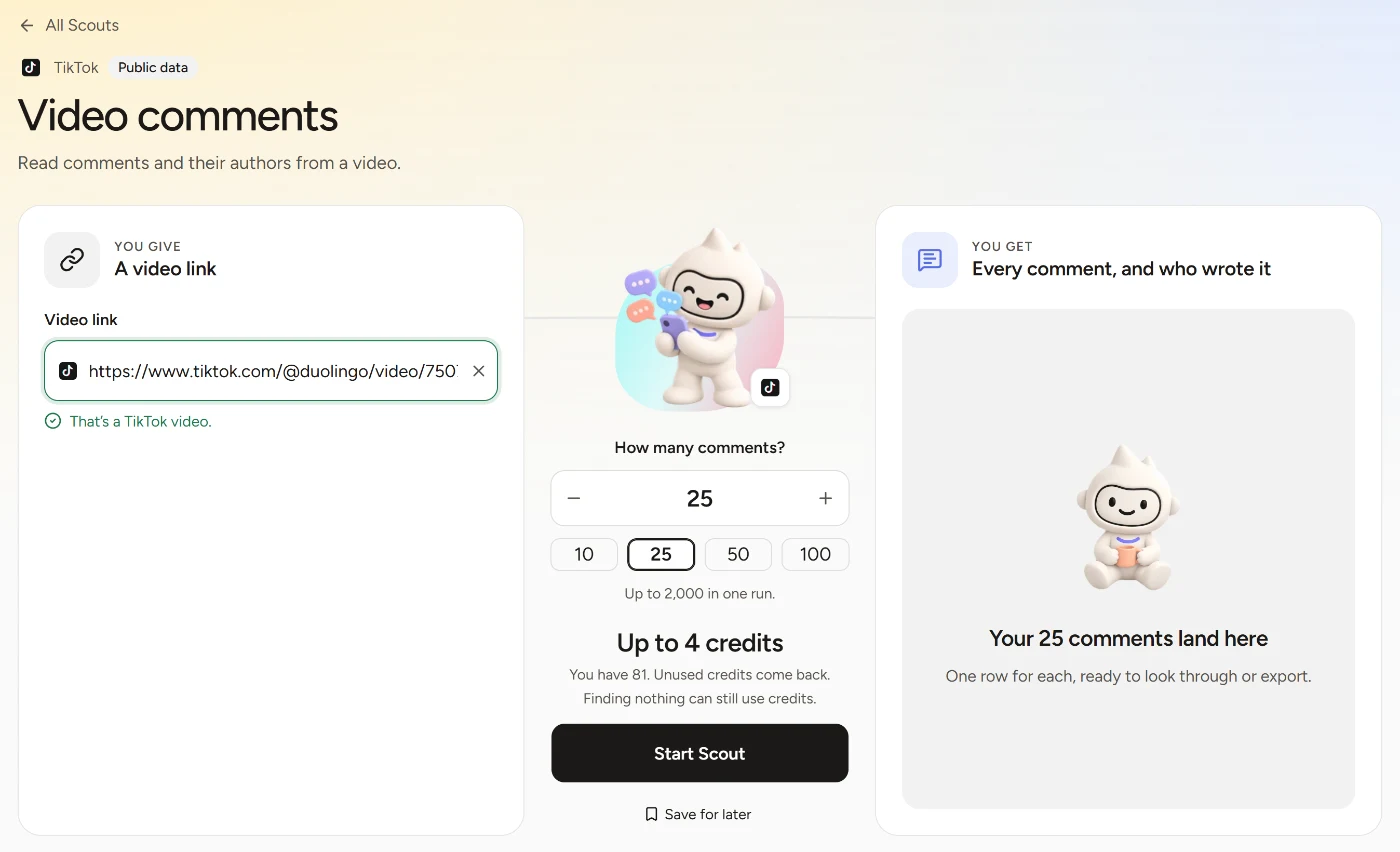
We kept the starting 25. The form said up to 4 credits, and the run used 3. Tap the picture to open it full size. - Start the Scout: Press Start Scout. Ours finished in 57 seconds.
- Download the file: Choose Export and pick As CSV or As JSON. Downloads unlock after your first payment.
What a real run returned
| Video | Asked for | Got | Credits used | Time |
|---|---|---|---|---|
| A Duolingo video | 25 | 25 comments | 3 | 57 s |
Good to know
- Only top-level comments are saved, each with its reply count.
- A video with comments turned off gives 0 comments.
- Photo posts and live links don't work with this Scout.
- CrowdYeti doesn't sign in to TikTok or use your account.
Other ways to do this
| Way | Cost | How many comments | Replies | Best for |
|---|---|---|---|---|
| Scroll and copy by hand | Free | What you can scroll through | Only threads you open | A few comments |
| TikTok's own data download | Free | Only comments you wrote | Only your own | Backing up your own activity |
| Comment exporters and browser extensions | Free tier, then paid | Small free caps | Some, often for your own videos only | One video |
| Scraper marketplaces, such as Apify | Pay per result, with an account there | You set it per run | Depends on the scraper | People who already use that platform |
| CrowdYeti Video comments | 3 credits for our 25. Monthly plans from $29/month. | Up to 2,000 per run | Reply counts only | A spreadsheet of one video's comments without your TikTok login |
Questions people ask
Can I export TikTok comments to Excel?
Yes. Download the CSV and import it from Excel's Data tab with From Text/CSV.
Set File origin to 65001: Unicode (UTF-8) so emoji stay readable.
Do I need a TikTok account?
No. You paste a public video link, and CrowdYeti reads it without signing in.
Can I get comments from someone else's video?
Yes, from any public video. Our test used a video from Duolingo's account.
Does it save replies to comments?
Each comment shows how many replies it has. The reply text stays on TikTok.